The Daily Bloom

The Ultimate Parent’s Guide: What is AI for Kids and How Do I Explain It to My Child?

Key Takeaways

  • Explain AI Simply: I describe AI to children as computers that can learn, think, and solve problems, similar to a friendly robot companion. It’s a “pattern-spotting tool,” not a “magic brain” or a person.
  • Start with Unplugged Fun: You don’t need a screen to teach the core concepts of AI. I use “unplugged” mini-projects like sorting animal picture cards or simple logic games to show how patterns work. This builds computational thinking without adding screen time.
  • Connect to Daily Life: I challenge kids to identify AI in common tools like smart speakers, cameras, and search engines. Asking “how do you think it knows that?” makes the abstract concept of AI concrete and understandable.
  • Use AI as a Creative Partner, Not a Crutch: I employ AI as a creative collaborator for illustrations, compositions, and narratives. We combine screen-free art time with secure AI-driven tools so children can generate ideas and then construct them with markers, clay, or instruments.
  • Focus on Ethics from Day One: I weave ethics into all our projects by discussing fairness, privacy, and responsibility. We define family data-sharing rules, address myths versus real AI boundaries, and honor uniquely human superpowers like empathy and imagination.

As a preschool teacher turned mom, I hear the same worries every week: too much screen time, confusion about AI, and schools moving slowly. Parents feel this cocktail of excitement and hesitance. You want your child to be curious and future-ready, but not glued to a device or misled by tech you don’t fully trust. It’s totally understandable.

To de-stress, I center on playful learning that fosters forward-thinking in a screen-free way. What is AI for kids? For me, it’s a soft, child-friendly introduction to the fact that AI is a pattern-spotting tool, not an oracle.

We founded SafeAIKids as a special antidote—trusted, Scandi-inspired workbooks that foster curiosity, integrity, and human ingenuity. My goal is to help you feel at ease and empowered. In the guide below, I explain what you need to know and offer simple tips you can implement right now.

What is AI for Kids? A Simple Definition

So, what is AI for kids? At its simplest, I explain that AI (Artificial Intelligence) is when machines and computers get smart, think, and solve problems like humans.

For kids, I put it as kind “intelligent minions” that detect trends, not reality, and utilize those trends to predict what to say, present, or perform. This is the core ai definition for kids: AI is a pattern-spotter.

Kids encounter AI every day—robot vacuums, chatbots, smart speakers, game characters—largely without knowing. When used right, it is a joyful portal into STEM, creativity, and critical thinking, with human values in the driver’s seat.

To make this concept real, I break it down into five simple areas.

1. Smart Helpers

This is the most common way our kids “meet” AI. When my daughter asked, ‘Why is the moon bright?’ and our smart speaker responded, she encountered AI listening for her voice and transforming it into an answer.

I approach AI as a clever assistant that responds to queries and voice instructions. Voice assistants such as Siri and Alexa obey basic instructions, initiate timers, and even pronounce difficult words. This is useful for hectic mornings!

At home, robots and smart devices automatically do small jobs. A robot vacuum “maps” a room and learns better routes as it goes along. That’s pattern recognition at work, not magic.

How to teach this: I threw out easy challenges such as requesting a voice assistant to set a timer, play music, or tell a joke, (counting on an adult presence). Then, I have kids experiment by querying the digital assistant with a factual question, and then consult a book so they find AI is a useful collaborator, not the oracle.

2. Learning Machines

This part answers the question, “how does ai work for kids?“. I explain that AI systems learn from data the way kids learn from practice: many tries, feedback, then improvement.

That’s machine learning, a form of AI where computers get better without being specifically programmed every step of the way. I demonstrate that AI trains on data like kids train on drills.

I liken it to exposing a computer to thousands of animal images. Eventually, it detects ears, tails, patterns and predicts ‘cat’ or ‘zebra’. With more examples, the predictions get more accurate.

This concept is powerful because it blends all four STEM areas: math for patterns, technology for tools, engineering for building systems, and science for testing ideas.

How to teach this: I attempt mini-projects such as categorizing animal picture cards or training a basic model with familiar images or noises to observe patterns in motion. Even a simple kid-made chatbot… can train on answering ‘How are you?’ or ‘What’s your favorite food?’ and then improve as you tweak the samples, just as a child practices math problems to become fluent.

3. Creative Partners

This is where many parents see generative ai for kids and feel worried. I see generative AI as a catalyst, not a replacement.

Kids can try out drawing tools that transform a sketch into a colorful scene or music generators that convert a clap of rhythm into a tune. This can include ai story generator for kids or an ai music generator for kids.

The key is equilibrium. We construct initially on paper. For example, I combine screen-free art time with secure AI-driven tools so children can generate ideas and then construct them with markers, clay, or instruments. Their human imagination always leads the way.

How to teach this: My SafeAIKids, screen-free, Scandi-designed workbooks nurture the core skills behind AI: patterns, sequences, careful noticing, without a single glowing pixel. This is the safest, most effective way to start.

4. Problem Solvers

AI is also a powerful tool for solving big, complex puzzles. I explain that AI beats puzzles by testing lots of moves quickly, similar to a chess engine discovering a checkmate line.

It can scan massive data sets looking for patterns that people would overlook, which is why weather and traffic tools seem so prescient. In healthcare, AI helps doctors by flagging abnormal patterns in images and recommending options. But I always add the most important part: Humans decide.

How to teach this: I ask kids: Which real-world problem could a “smart helper” tackle—clean water, safer roads, or reducing food waste?  This frames AI as a tool for helping people, not replacing them.

5. Digital Senses

This concept helps kids understand how AI interacts with the world. AI ‘sees’ with cameras and computer vision, ‘hears’ with microphones and speech recognition, and ties it together with language tools that feel conversational71.

Face unlock on a phone or auto photo tagging are perfect examples. These systems detect features and match them to known patterns.

How to teach this: While these tools are impressive, I caution youngsters that AI models learn feelings imperfectly. Truthfulness, generosity, and human originality remain in control.

Why AI Matters Now: A New Kind of “Future-Proof”

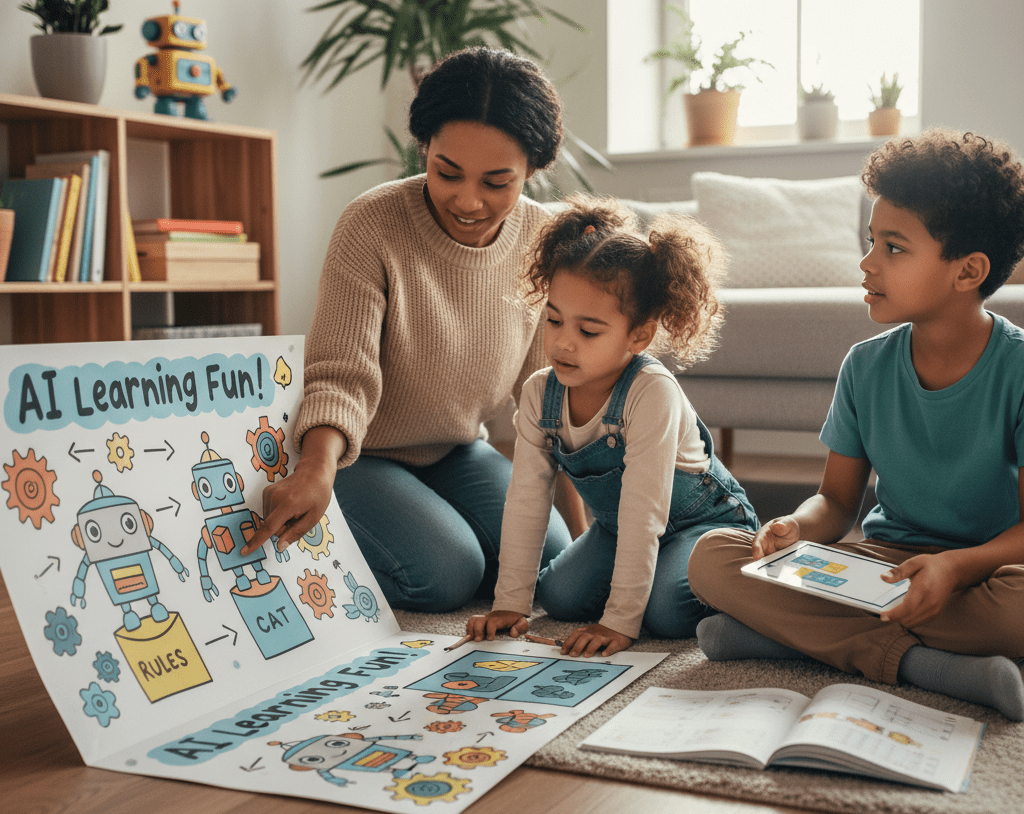
Kids learning about ai robot

AI isn’t fringe anymore. It’s how work, play, and communication occur. That matters for our kids as early exposure creates calm confidence, not confusion.

I want my kids to view AI as prompts to probe, not facts to regurgitate, so they mature into conscientious netizens who appreciate integrity, compassion, and human ingenuity.

Future Skills: More Than Just Coding

I hear the same worry everywhere: too much screen time, not enough real learning. It’s totally natural to be ambivalent. But when kids get the fundamentals early, they build skills for life.

And I don’t just mean ai coding for kids. The real skills are computational thinking, data exploration, and problem-solving. I’ve observed my son shine when he debugged a basic robot routine. That miniature victory cultivated grit more than any app ever could.

We can encourage low-pressure exposure:

  • AI Classes and Courses: Look for ai courses for kids or an ai class for kids that is project-based and emphasizes ethics.
  • Camps: An ai camp for kids or ai summer camp for kids can be a great, collaborative way to learn.
  • At Home: You can start with simple, kid-friendly coding games or a project journal to monitor achievements.

I remind my kids that AI is helpful, but people teach values. This leads to a new world of jobs.

Career paths to spark curiosity:

  • Robotics Engineer
  • Data Scientist
  • Machine Learning Developer
  • AI Ethicist (a crucial new role!)
  • UX Researcher for AI tools
  • Educational Technologist
  • Healthcare Analyst

You can create a simple table at home: one column for “AI job,” one for “key skills” (coding basics, data sense, ethics, teamwork, communication). Stick it on the fridge to keep goals in sight.

Daily Life: AI is Already in Your Home

I hear from parents all the time that they had no idea AI was already in their home. Most don’t—just one in four parents of teens using AI say they’re aware.

AI suggests shows on streaming services, filters photos on our phones, and helps autonomous cars stay in lane. It fuels search engines, autosuggestions, and those charming little digital assistants our kids wave hello to. This includes devices like alexa ai for kids.

These AI agents—virtual assistants and chatbots—generate fresh engagements that seem trustworthy, occasionally more so than humans, and that may impact social and emotional development in ways we don’t yet comprehend.

That’s why I stop with my kids and ask, “Why do you think it suggested that?” We discuss trends, promotions, and options. That small practice fosters critical thinking and keeps curiosity human-driven.

Creative Tools: Inspiration, Not a Hack

I heart AI as an inspiration, not a hack. AI-guided drawing, music, and storytelling apps can keep up with a child’s interests and pace, gently pushing them to experiment with new concepts without hijacking their voice.

Handled well, it’s a gentle entry point that allows the crayons, scissors, and imagination to remain at play on the table.

  • Drawing: Tools that turn pencil sketches into stylized art while preserving a child’s lines.
  • Music: Apps that loop rhythms and suggest harmonies so kids hear structure.
  • Storytelling: Copilots that prompt “what if” questions and expand vocabulary.
  • Game Kits: Block-based builders that teach logic and sequencing.

Start the AI Conversation: How to Teach Kids AI

It’s totally natural to be uncertain about when and how to discuss AI. I hear the same worries: too much screen time, confusing jargon, schools moving slowly. This is how to teach kids ai in a way that feels natural and safe.

I begin the AI conversation in early elementary so my kids don’t hear about AI first from a friend or pop-up. I keep it simple: AI spots patterns in data to make guesses. It isn’t truth110.

I carve out 30 minutes a week to learn a tool myself, so I can shepherd our chats with assurance. And I remind them that we still spend tons of time outside with actual humans because human connection is priority one.

1. Storytelling (The “What If”)

I talk about helpful robots, AI pets, or intelligent brooms to clarify pattern-finding.

  • Example: “An AI lantern learns when the path gets dark and brightens gently. It asks a person for help when it sees water.” This creates the lifestyle where humans drive, and technology supports.
  • Ask Them: “If you created an AI assistant, what would it observe? What rule would it follow?”.

This is also a great time to explore books on ai for kids.

  • The Wild Robot (book): A robot learns empathy and makes choices in nature.
  • Big Hero 6 (movie): Smart tech helps, and friends and values lead.
  • Wall-E (movie): Machines follow orders. Humans determine what counts.

2. Everyday Tech (The “Aha!” Moment)

I point to familiar devices: tablets, phones, and smart speakers that turn speech into text, translate languages, or suggest photos.

  • Try This: We try a voice assistant to set a reminder, then discuss: “It recognized your words because it learned many speech patterns”.
  • Fact-Check: We treat photo filters and predictive text as pattern guesses, not reality. When we do translation, we run meaning against a dictionary… to demonstrate fact-checking in action.

This also helps address the concern of kids using ai for homework. When my kid queries AI for homework or feelings, I tell him that while some tools are good for brainstorming or naming emotions, they’re not doctors, teachers, or parents.

We share a family rule: short sessions, an adult nearby, and a reflection question—“What did it do well, and where do humans decide?” This positions AI as a companion, not a substitute.

3. Simple Games (Digital & Unplugged)

This is a fantastic way to introduce ai activities for kids and ai games for kids.

  • Unplugged: Classic board games like Guess Who? reveal decision trees. Each yes/no answer narrows choices, just like an AI classifier.
  • Digital (Free Tools):
    • Quick, Draw!: Draw a cat or a bicycle in 20 seconds. The AI guesses by comparing your sketch to thousands of examples. This is perfect for illustrating pattern matching.
    • AutoDraw: Doodle anything. The AI suggests refined icons, showing how models map messy input to known shapes.
    • Teachable Machine: Train a tiny model with your own images or sounds. Kids get to witness why more data makes a model more accurate and why diversity of examples is important.
    • Google Translate Camera: Set up a family “sign hunt” challenge. Label items in your kitchen and cross-check meaning with another source to practice healthy skepticism.

We come back to that AI uses patterns to predict, while people add imagination and empathy.

Hands-On AI Activities: The Screen-Free Path

A quiet, screen-lit trail is not the only way. You can transform “What is AI?” into hands-on fun at your dinner table. I craft these so kids get the concepts with their hands, not just their eyes. Hands-on AI works online and offline… and builds real skills—critical thinking, problem-solving, and creativity—without hype.

Unplugged Fun (The Core of My Philosophy)

If you’re concerned about additional screen time, you’re not alone. This is why I always start offline. These are the best screen-free activities for kids to teach AI logic.

  • “Robot” Sorting Game: I start offline: role-play how an “AI” (your child) sorts toys by rule—color, size, or shape—and then change the rule mid-game to show how models need new instructions. It’s foolish, fast, and forceful.
  • DIY Training Data: Paper, cards or blocks turn into data. I create “training cards” featuring animal images and allow children to craft labels and basic “if–then” arrows. We talk about computer vision at a child’s level: “What features help us tell a cat from a dog?”.
  • ‘AI Detective’: This is a hit! I come up with a secret rule such as ‘objects with three sides.’ Kids make guesses, collect evidence, and update hypotheses, which is an unplugged reflection of machine learning.
  • Craft Your Own Bot: Craft time does the trick as well. Kids draw or construct a magical aide that is nice, truthful, and useful and describe its “policies”. We emphasize values and they get early design thinking experience.
  • Train a tiny model with your own images or sounds using Google’s Teachable Machine.

Pressed for time? This is why my SafeAIKids workbooks exist. They do the curation for you. Screen-free, Scandi-designed pages guide unplugged sorting games, “detective” puzzles, and values-first robot design prompts. They are the most secure, most intelligent foothold in the AI era.

Digital Playgrounds (When You’re Ready)

When you’re ready for thoughtful screen time, I opt for reputable sites educating through games. My short list includes block-based coding sites with AI add-ons (like Scratch , code.org), beginner “teachable machine” tools… and kid-friendly sandboxes.

Most come with curated challenges spanning AI subjects—computer vision, ML, and even generative UI—so a 5-year-old can sort shapes while an older sibling prototypes a chatbot.

You stay in the driver’s seat: set short sessions, stay nearby, and keep curiosity the goal, not perfection.

Home Experiments (Combining Both Worlds)

At home, I lead kids to prototype with household materials.

  • Tape a “robot path” on the floor (1 meter, 0.5 meter turns), place obstacles and follow step-by-step “instructions” cards to mimic algorithms.
  • Team up: one child is the “sensor,” one the “planner,” one the “mover”. That shared build is what makes the learning stick.
  • Train a “Noise Bot”: When screens come in handy, we teach a teachable machine with familial noises—claps, whistles—or images of red vs. blue blocks.
  • Keep a Journal: We record results in a simple journal: date, data used, what changed, what we noticed. Kids witness data, not speculation.

AI Ethics Together: The Most Important Conversation

This is the part that keeps parents up at night. I hear the quiet worry: you want your child curious, not misled by tech you don’t fully trust. This section tackles the big questions: is ai safe for kids, is ai bad for kids, and how to teach ai ethics for kids and It’s why trusted parent-focused organizations like Common Sense Media have published extensive guides on AI’s impact on children.

AI can be a safe gateway if we construct ethics in from the beginning. I frame it around the pillars I teach at home and in my classroom: accountability, privacy, bias, and transparency.

This also applies to specific tools. Parents often ask me, “is character ai safe for kids?” or “is poly ai safe for kids?“. My answer is always the same: no AI is “safe” without a human guide. These tools are trained on vast, unvetted internet data and can produce inappropriate content. They are not designed for children and require active adult supervision and conversation. This is why I advocate for closed, simple, screen-free tools first.

1. Fairness (Addressing Bias)

AI can make unjust decisions when trained on incomplete or biased information. A recommendation tool could display more books to one group of children than another based on what it previously “saw”.

That’s not meanness; it’s patterns misread as truth, which is why I repeat: AI is patterns, not truth.

How to teach this: We discuss justice when they engineer small AI experiments down on paper. If their ‘robot referee’ scores goals only for red-shirted players, we question Then we adjust the guidelines and data until results seem just. I’ll also present my sons with a pair of picture sets, one diverse and the other not, and contrast responses. It clicks quickly.

2. Privacy (Data is Precious)

I teach my kids a simple rule: names, address, school, faces, and voices are precious.

A lot of AI tools gather data, store chats, and some LLMs (Large Language Models) might save convos as training data that can be used or shared down the line.

How to teach this: We establish household guidelines—no posting friends’ pictures, voiceprints, or homework outlines containing private information. We role-play: “A friendly app offers stickers if you say your full name—safe or not?” We discuss impersonation risks: AI can mimic people or brands, share others’ work without credit, and push opinions.

This is why with screen-free… SafeAIKids workbooks we practice privacy choices offline, then live them online.

3. Responsibility (Humans are in Charge)

Responsible AI at home means clear boundaries. I oversee tools, place timers and authorize downloads. My kid vows kindness, citing sources, and halting if something doesn’t feel right.

How to teach this: We debate “what-ifs” at dinner: Should an AI art app post a classmate’s picture? What if a chatbot tells different things to different kids? These scenario discussions develop critical thinking and resilience.

When schools deploy AI, I request clear grading rubrics aligned with tool constraints and choices, so my kid grasps the reason behind a grade. Ethics must steer every step.

Beyond the Hype: Separating AI Fact from Fiction

(Image Alt Text: A close-up of a sophisticated, metallic robotic hand reaching out, palm up, symbolizing the connection between humanity and technology.)

I hear the same worry everywhere: confusing AI headlines. As a mom and with years of teaching under my belt, I sift through the noise to find what really helps your kid.

AI is a pattern tool, not a truth tool. When we introduce it safely and screen-free, kids remain curious and creative.

AI Myths vs. Reality

Parents tell me they’re afraid AI is going to take all the jobs. I don’t. Most AI today is ‘narrow,’ constructed to perform a defined task, not to think like a human. Sci-fi provides AI with emotions and intentions. Actual instruments identify data trends.

My kids love when I say this out loud: “A robot can suggest ideas. You alone determine what’s gentle, just, and honest”.

Here are some common ai facts for kids and parents:

MythWhat’s True
“AI will replace all jobs.”AI automates tasks; humans lead with judgment, ethics, and care. New roles (like AI Ethicist) emerge.
“AI understands feelings.”It detects patterns in words; it doesn’t feel empathy or context.
“AI is always right.”It makes mistakes (“hallucinations”) and reflects its training data. It needs human oversight.
“AI learns like a child.”It trains on huge datasets, not lived experience, social connection, or play.

AI Limits (Where Humans Win)

AI is no good at subtle feelings, ambiguous creative work, and brittle, real-world context—precisely the areas in which children excel.

When it comes to adaptability, intuition, and values, humans triumph. In education, AI-assisted learning remains a distant second to profound human connection. If kids rely on it for direct task accomplishing, their transversal skills—problem-solving, critical thinking—plateau.

For ages 3–8, the surest road is actually doing with explicit guidance, then whimsical metacognition (thinking about how we think). That’s the heart of our Scandi-designed, screen-free pages: sort by attributes, predict outcomes, test ideas, then discuss choices. Keep AI in its lane.

Human Strengths (Our Superpower)

Empathy, imagination, and ethical judgment are human. When I watched my son comfort a classmate after a mistake, I saw the future of work: people leading with compassion and tools supporting the heavy lifting.

I show kids how to combine human strengths with AI’s pattern assistance.

  • Try This: Co-create a story: your child picks the theme (imagination), AI suggests twists (pattern-matching), your child edits for voice and kindness (empathy and judgment). Now that’s a team effort.

AI may tailor a trail, but humans instruct significance. Our workbooks make this simple: screen-free puzzles grow pattern sense, prompts invite reflection, and parent tips guide conversations about fairness and truth.

Conclusion: A Calm, Screen-Free Path Forward

I’m familiar with the pull of screens, the AI news reports, and the concern about getting it “right”. It’s totally understandable to experience that cocktail of excitement and hesitance.

I’ve witnessed what can happen to kids when AI is presented as patterns to investigate, not facts to obey. That maintains wonder and creativity at the forefront.

For hectic days, I fall back on our SafeAIKids workbooks. They’re screen-free, gorgeously crafted, and subtly construct future-proof skills via playful learning. You steer the discussion. Your kid learns integrity and good-heartedness and how to interrogate results.

I sense relief in parents’ faces and pride in kids’ eyes. You’re providing your child the most secure, wisest beginning in the AI era.

[Primary CTA Button] Download a FREE Sample Workbook

[Secondary CTA Link] Explore Our Critical Thinking Workbooks

Frequently Asked Questions

What is AI for kids?

I call AI for kids easy, age-appropriate ways to learn how machines learn, spot patterns and predict. I utilize concrete instances, such as categorizing images or instructing a computer to identify forms to foster interest and foundational fluency.

Why should I teach my child about AI now?

I teach AI now because it’s built into daily life, such as search, translation, and recommendations. Early exposure fosters critical thinking, creativity, and digital safety. It gets kids ready for future college and careers without requiring high-level math upfront.

How do I start the AI conversation with my child?

I start with everyday examples: “How does this app suggest videos?” Then, I break down data and patterns in layman’s terms. I welcome questions, set truthful expectations, and concentrate on humans creating and directing AI, not sorcery.

What hands-on AI activities work at home?

I use quick projects: train a model with photos using Teachable Machine, build a chatbot with preset responses, or sort objects by features. Most importantly, I pair these with unplugged activities, such as sorting and pattern games and logic puzzles, to develop robust foundations. I keep sessions short, celebrate every mistake, and talk about what the system learned and what it missed.

How do I teach AI ethics and safety?

I simply model responsible use. I cover bias, privacy, consent, and source credit. We test outputs, fact-check, and don’t share personal info. I discuss that humans create AI and humans need to make ethical, secure decisions.

How do I separate AI hype from reality?

I contrast assertions with exhibitions. I demonstrate where AI excels in classification and translation and where it falls short in context and nuance. I discuss limitations, data quality, and the requirement for human oversight. I care about skills, not buzzwords.

What beginner tools do I recommend?

I suggest block-based coding (Scratch), kid-friendly AI demos (Teachable Machine), and curated lessons from museums or public libraries. I always pair these with unplugged activities, such as sorting and pattern games and logic puzzles, to develop robust foundations.

What’s the appropriate age to give kids AI? | A Caring Parent’s Guide

Key Takeaways

  • To make it brief, introducing AI concepts should correspond with your kid’s developmental stage, beginning as young as age 4 with play-based activities and progressively advancing as they mature.
  • Early AI literacy fosters foundational skills such as problem-solving, critical thinking, and creativity that will serve your child well in the future job market of an increasingly tech-centric society.
  • Get on a practical level — Use hands-on, everyday tools like virtual assistants or educational apps to make AI relatable and practical for children of all ages.
  • Talk openly about digital well-being, ethics, and the societal impact of AI to help kids become responsible digital citizens.
  • Balance screen time with real world activities and hands on projects that incorporate AI ideas to foster a well-rounded learning experience.
  • Parents and caregivers play a critical role by exploring AI alongside their children, demonstrating inquisitiveness, and facilitating safe, age-appropriate interaction with technology.

If you’re unsure about the best age to give kids AI exposure, this guide will walk you through age-based tips, safe tools, and screen-free ways to build essential skills.

The optimal age to introduce AI to children isn’t a hard number, but rather being prepared for straightforward ideas such as patterns and logic.

A lot of experts say that you can begin introducing kids to foundational concepts behind AI as early as five, without any screens or technical language.

Why AI Literacy Matters

AI is embedded in daily life, from voice assistants to curated learning materials in edtech software. A lot of parents fret about a future where “robots steal jobs,” but reality is more complex. AI is not just about programming or creating robots. It’s about learning what’s under the hood of these tools, how they think, and what implications that has for our kids’ futures.

AI literacy isn’t just about understanding what AI is; it’s about making kids thinkers, not users. Kids interact with AI in a fundamentally different way than adults. They could treat a chatbot like a buddy or believe everything AI tells them. For example, early exposure to these technologies, without proper guidance, can make it more difficult for kids to identify misinformation, spot bias, or even understand that AI can be wrong.

AI literacy, then, is not about training young kids to construct algorithms. It is about equipping them to ask, ‘How does this tool function?’ and ‘Is this response equitable?’ These are the true skills future employers desire — critical thinking, logic, and a strong dose of skepticism.

You can’t overemphasize the importance of starting young. Children’s brains are growing more rapidly during their toddler and preschool years than at any other time in their lives. Now is the perfect moment to prepare them for AI — not by handing them more screens, but by equipping them with the tools to recognize patterns, address challenges, and think independently.

With AI-powered programs spreading in schools, kids are seeing these technologies younger and younger — sometimes before they’re old enough to really interrogate or parse what they’re looking at. This is why unplugged, hands-on learning is so important. Screen over-dependence can push out the core competencies children need most.

AI literacy helps kids understand how AI affects their thinking, social skills, and even emotions. For instance, a child aware that an AI chatbot is designed to “sound friendly” can distinguish true friendship from technological expedience. This awareness is important, with AI tools now being sold to children under the age of 13.

Here’s a simple comparison to clarify the benefits:

AspectWith AI LiteracyWithout AI Literacy
Job OpportunitiesAdapts to new AI-driven rolesStruggles with changing demands
Technology ImpactQuestions and assesses tech useAccepts tech at face value
Skill DevelopmentBuilds logic and critical thinkingRelies on rote use, less flexible

What Is The Right Age?

Understanding the right age to give kids AI experiences helps parents match learning tools to cognitive growth, not just screen access.
There is no specific timeline for children to be ready to learn about AI. What is the right age? While research indicates that ages 5 to 7 are particularly open, certain children as young as 3 will be intrigued by how smart speakers or robotic toys “think.” By age 7, most kids can interact with simple AI toys, while older kids are primed to interrogate and analyze how these systems operate.

Developmental milestones like language skills, an understanding of cause and effect, and inquisitiveness around technology are much stronger signals that a child can start to understand basic AI.

1. Ages 4-7

Here, kids are naturally inquisitive and love to ask ‘why’. They tend to ascribe thoughts and feelings to intelligent devices, which has been seen worldwide in three- to six-year-olds. Easy AI playthings, such as chatty droids or engaging critters, provide a soft segue.

Play-based activities are the most effective—imagine games where a robot reacts to basic directions or responds to a child’s movements, demonstrating cause and effect instantaneously. These experiences foster foundational skills: language, pattern recognition, and basic problem-solving.

For a kid who thinks their voice assistant ‘feels happy,’ there is an opportunity to begin the conversation about real emotions versus coded responses, reinforcing early critical thinking.

2. Ages 8-10

By this point, most kids have gotten over the idea that AI tools are sentient. This is the window to expose them to coding fundamentals. Whether visual programming apps or easy logic puzzles, these exercises reach their expanding analytical faculties.

Educational games that allow kids to adjust how a robot reacts develop a sense of how AI learns. Group projects, such as constructing a maze-solving robot with friends, promote teamwork and collaborative problem-solving.

At this age, technology is both a tool and a topic. Kids want to know how things work, so hands-on projects that mix creativity, like engineering an AI-infused story, with logic are both engaging and developmentally appropriate.

3. Ages 11-13

Pre-teens can deal with more abstract concepts. They’re ready for conversations about how AI makes decisions, its advantages and limitations, and even ethics regarding whether AI should decide what videos they see online.

Programming platforms such as Scratch or Python become relevant, aided by age-appropriate online courses. Middle schoolers, in turn, are developmentally ready to take direct aim at AI by critiquing auto-generated resumes and essays against their human counterparts and joining after-school clubs that explore AI.

These kinds of activities develop not only technical knowledge but crucial digital literacy.

4. Ages 14+

Teens are primed to experience AI’s real-world effect. They can attend advanced coding workshops, investigate how AI is used in medicine, art, or business, and even argue privacy and bias concerns.

Hands-on experience, such as internships, hackathons, or student-run AI projects, further cements comprehension. This is when you double down on responsible digital citizenship, making sure teens are thinking critically about both the potential and perils of AI as they gear up for the working world.

Cultivating an AI Mindset

Our kids are about to grow up in a world that is nothing like the one we knew fifty years ago. Their approach to learning, play and problem-solving is influenced by fast-paced transformation and ubiquitous access to technology. Cultivating an AI mindset is less about mastering machines and more about nurturing timeless skills such as curiosity, critical thinking, resilience and creativity that help kids thrive alongside AI.

Foster a growth mindset that embraces learning and experimentation with AI

Developing a growth mindset helps kids view all intelligence, including digital intelligence, as something they can develop through effort and practice. AI, in other words, is not a magic trick; it’s a tool of pattern-based learning, similar to how children learn by experimentation and error.

When a kid mispuzzles a puzzle or their first attempt at a logic workbook goes awry, it’s the trying that’s the crucial lesson. Inspire them to view each stumble as progress. This goes for AI projects, too—mini, practical projects where they can tinker, experiment, fail, and experiment some more.

Cognitive critical thinking skills are the true root. These are what assist children in understanding how AI operates, detecting when something is amiss, and posing intelligent inquiries about their environment.

Encourage curiosity and exploration of AI technologies in everyday life

Curiosity is the motor of all significant learning. Kids ask about the why and how of everything—AI is no different. When a child talks to a virtual assistant or notices a recommendation on a streaming service, use it as a starting point: What do you think is happening behind the scenes?

Letting kids help design AI tools or even just letting them have a say in how these tools are utilized at home and in school instills ownership and fosters true comprehension. Everyone in education, from educators to parents, can help by keeping this sense of curiosity front and center in the conversation.

There’s no magic age at which to begin these discussions. It’s more important that the sophistication of the tool or subject be aligned with the child’s maturity.

Promote resilience by allowing children to learn from failures in AI projects

Resilience develops when kids are permitted to fail and rebound from it. AI projects, even pretty rudimentary ones like categorizing or forecasting, are perfect grounds for this. Kids learn that being wrong is not a dead end but an opportunity to try again, think creatively, or seek assistance.

The importance of an active adult in this process cannot be emphasized enough. Science tells us that solid social context, even with machines, molds results much more than the tech.

Support creative thinking by integrating AI into arts and storytelling

AI isn’t just for coders and engineers. It can be integrated into storytelling, drawing, or music-making, where kids use AI-assisted prompts to brainstorm stories or remix pictures.

The key is the human spark—kids’ ideas, feelings, and social interactions. Kids with solid human connections, particularly early on, can better utilize AI to enhance their creativity and emotional intelligence, not supplant it.

Navigating AI’s Challenges

It’s not so much when to introduce AI to kids, but how and in what context. At the crossroads of technology and childhood, we must continue to prioritize digital well-being, encourage critical thinking, and foster ethical responsibility. All of these areas pose their own challenges and opportunities and they need to be something that families are informed, proactive, and adaptive about.

Digital Well-being

Assisting kids in navigating screen time is foundational. Overdependence on AI for answers threatens to erode critical thinking abilities in the long run. Striking a balance between screen time and offline play, hanging out with friends, and creative pursuits will become key as kids might get attached to AI agents, sometimes to the detriment of human ones.

Parental controls are a powerful instrument in carving out healthy techno-habits. Tracking what kids consume and how much enables a measured strategy toward AI consumption, one that scientists suggest reduces risk. We need adult guidance because children’s social context when using AI influences how children interact with, feel about, and understand the technology.

Resources for a Healthy Media Action Plan:

Critical Thinking

Critical thinking is nurtured in substantive conversations about what AI can and cannot do. Kids do well to query, “How did the AI arrive at that response?” or, “What could it be overlooking?” Depending on AI for answers can dull independent thinking. In navigating AI’s minefield, cultivating skepticism and curiosity is essential.

Structured interaction flows, like guided questions or “think aloud” problem solving, help kids learn to question and assess AI outputs. These problem-solving activities, with and without AI, reinforce flexible thinking.

Checklist for Promoting Problem-Solving with AI:

  • Have children compare AI responses to their own thinking.
  • Puzzles and games with step by step logic.
  • Create activities where children have to rationalize or question AI decisions.
  • Periodically cycle through tech and unplugged activities to develop cognitive resilience.
  • Debrief together after using AI tools: What did we uncover? What shocked us?

Ethical Use

Things such as privacy, data security, and responsible practices need to be top of mind. Children tend to anthropomorphize AI, which can obscure their comprehension of AI’s true nature and capabilities. Open dialogues around these concerns educate children to tackle AI mindfully and cautiously.

Ethical Implications to Discuss:

  • What personal information to never tell AI.
  • Detect and alleviate bias in AI.
  • Tactile versus emotional intelligence in AI.
  • Societal impacts: How might AI change jobs, relationships, or communities?
  • The need for adult supervision in using any AI tool.

Your First Steps

Presenting AI to kids isn’t about abstract algorithms. It’s about demystifying technology, making it playful and meaningful in their lives. Kids as young as five can benefit from age-appropriate, hands-on experiences that ignite curiosity and develop foundational skills.

Early exposure, combined with guidance from trusted adults, can prepare kids not just to be tech users but thoughtful, critical thinkers in an AI-powered world.

Start with Play

Play is the best way to expose AI to toddlers. Hands-on AI toys, such as voice-command robots or programmable pets, make these intangible ideas concrete. These toys get kids into the cause-and-effect learning that makes AI feel like a tool, not a black box.

Imaginative play gives you another chance to talk about AI, screen-free. For instance, role-playing a ‘smart assistant’ game, where one kid issues commands and another obeys, mimics how AI processes directions. This tackles issues like assuming AI is sentient or autonomous.

Hands-on experiments, such as rudimentary coding games or pattern recognition puzzles, cement logical thinking and problem-solving. When you screw up, consider it an education. Inspiring children to experiment, stumble, and experiment once more with AI-enhanced toys fosters persistence and inquisitiveness.

Multiplayer AI-driven board games or group puzzles encourage social engagement, turning AI experimentation into a collective and enjoyable adventure for siblings or peers.

Use Everyday AI

A lot of families already do AI without knowing it. Everyday tools make great starting points for demonstrating AI’s practical applications:

  1. Ask a virtual assistant (such as Google Assistant or Siri) a question together and talk through how it sources answers.
  2. Test language translation on a smartphone or smart speaker and discuss how the device learns new languages.
  3. Try a chatbot on a website and cooperate on a simple problem, demonstrating how the bot follows the steps programmed to it.
  4. Plunge into personalized playlists or video suggestions and describe how AI anticipates taste from previous selections.

Talking about the AI in these devices makes learning meaningful. Encourage kids to identify other ones, such as face recognition on your phone or autocorrect when texting.

These daily instances create consciousness that AI is omnipresent, usually behind the scenes, and begin to normalize the technology.

Co-explore Tools

Discovering AI ought to be a shared adventure. Parents and educators can lead kids through new apps, sites, or smart gadgets, role-modeling healthy skepticism and curiosity. Joint exploration involves children to be inquisitive and to communicate their findings, making the experience interactive.

Group work, like exploring how a photo filter “identifies” a face, encourages collaboration and critical conversation. Teens especially receive value from directed discussions around what AI can and cannot do, which is ideal for capitalizing on their inherent skepticism.

Supportive spaces, particularly as kids hit roadblocks or false trails, are essential. Adult guidance can guide responsible exploration and tackle problems such as excessive dependence on AI tools or misinterpreting their limitations.

We aim to foster independent, thoughtful technology use, not passive consumption.

Beyond the Screen

Raising kids in an AI-saturated world can get tricky. The reality is the learning that counts most still happens beyond the screen. For toddlers, while digital technologies are increasingly integrated into everyday life, outdoor play is still a must. Running, building, and exploring outdoors improve both focus and creativity, things that technology can’t foster on its own.

The glacial pace of previous generations gave kids more opportunity to develop focus, and outdoor play can help reestablish that focus. Take, for instance, a basic scavenger hunt that can transform into an exercise in pattern recognition and problem solving, priming the type of thinking AI employs, but entirely screen free.

Creative projects with physical materials can make AI concepts come to life screen-free. Think building a “robot” out of cardboard, with colored stickers as “sensors,” or sketching flowcharts that simulate how an AI would make decisions. These cheeky games aid kids in learning things like following directions and pattern matching.

Kids aged 3 to 6 think smart speakers ‘think’ or ‘feel.’ Hands-on craft projects that contrast machines and the living can help clarify what AI really is, as well as what AI is not. Using clay, blocks, or recycled materials, kids can ‘design’ their own helpers, igniting discussions about what’s achievable and what remains make-believe.

This tactile method allows them to question, construct, and find at their own speed, removed from the hyperstimulation that too many AI tools can induce. Real world applications make the AI less mysterious and more meaningful. Consider the humble laundry color sort, a primitive form of data classification—the very same technique employed by numerous AI programs.

Cooking together becomes a lesson in algorithmic, step-by-step directions. When families tell tall tales or play act out, children rehearse conditional thinking (“If it’s raining, then we play inside”). These are the same skills behind AI but they’re learned with real objects and real interactions.

Teens, naturally skeptical, can be prompted to investigate how a chatbot works or argue the ethics of AI in news stories, developing critical thinking and media literacy. Teachers witness how excess tech overloads, so offsetting screen time with hands-on work aids kids develop durable comprehension.

Mixing screen time with hands-on play creates a holistic, balanced experience. This involves bringing AI concepts to life in playful, low-stakes exercises, not just new apps. Parents and teachers fret about cheating and shortcuts, but tactile know-how—think logic puzzles or construction kits—educates children to reason, not merely tap.

By the time today’s kindergartners graduate school, competency in AI will be assumed, but that is rooted in wonder, reasoning, and games, not additional screen time.

Conclusion

When to introduce kids to AI may seem like a huge quandary. At its core, it’s simply reinforcing robust cognition. There’s not a magic age, but rather a good time to start discussing patterns, logic, and how to ask thoughtful questions. AI is literally just a tool, and the foundational skill that enables kids to comprehend it is the very same type of skill that enables them to succeed in math, puzzles, and everyday problem solving. With these fundamentals as a focus, parents can help kids enter the tech world feeling confident, curious, and prepared for whatever it throws at them. So, here’s probably the best place to start — with hands-on, screen-free activities that build logic step by step. With every maze solved and puzzle cracked, your kid is one step ahead, no device necessary.

Frequently Asked Questions

What is the best age to introduce AI to kids?

Kids can begin AI learning as young as 5 years old. At this age, basic concepts and gamified activities construct a powerful foundation for technology literacy.

Why should kids learn about AI early?

Too young to introduce AI to kids. It gets them ready for the jobs of tomorrow, boosts their problem-solving abilities, and fosters critical thinking.

How can parents safely introduce AI to their children?

Parents should utilize age-based tools and apps. They should talk about online safety, privacy, and walk kids through their first steps encountering AI.

What are some simple ways to teach young children about AI?

With interactive games, storytelling, and hands-on activities, AI is easy to explore. There are many great educational apps and online resources for kids. You can also explore our screen free workbooks for kids as a new learning methodology.

Are there risks in introducing AI to kids too soon?

Children require assistance in steering clear of dangers such as misinformation or privacy concerns. With parental guidance and reliable sources, initial exposure can be secure and advantageous.

How can teachers support AI literacy in schools?

Teachers can utilize lesson plans and educational platforms centered around AI. They should inspire curiosity, include real-world examples and promote responsible use of technology.

What skills will kids gain by learning about AI?

Kids foster critical thinking, creativity, and digital literacy. These are must-have skills for modern life and future careers of any kind!

When should I introduce my child to AI tools? | Safe, Age-Based Tips for Parents

Key Takeaways

  • It’s important to tailor the introduction of AI concepts to children according to their age. Using playful activities for younger kids and hands-on projects for older ones is effective.
  • Through simple analogies and everyday examples, make AI relatable and encourage kids to connect what they see in technology with real-world experiences.
  • Think of safe, age-appropriate AI tools that encourage creativity, problem solving, and collaboration, with parental oversight to keep the environment safe.
  • While it’s important to balance the learning benefits of AI with frank conversations about risks such as privacy and bias, teaching kids responsible digital citizenship from a young age.
  • Establish boundaries for AI use, cultivate curiosity, and investigate as a family to create trust and comprehension surrounding new technologies.
  • Encourage analytical thinking, ethical awareness, and creativity, helping kids develop the skills they’ll need for an AI-driven future while highlighting their distinctive human talents.

Many parents wonder “when should I introduce my child to AI tools?” The truth is, the best time depends on your child’s readiness and curiosity — not just their age. Introducing AI tools to kids is explaining to them the foundational concepts of how AI works, usually through simple games or activities.

Kids don’t need screens or complex software to begin developing these skills. Instead, the real emphasis should be on constructing logic, pattern recognition, and creative problem solving.

These foundational skills allow kids to comprehend how AI ‘thinks’ with easy, screen-free activities that plug seamlessly into everyday play and learning.

When to Introduce AI

So when is the best time to introduce AI? It varies based on a child’s age, mental maturity, and inherent inquisitiveness. Kids today encounter AI every day from voice assistants to tailored content even before they learn the word. Studies indicate that kids as early as three to six years can actually learn foundational concepts related to AI, albeit with some misunderstandings.

There are those who push for early exposure, even as early as kindergarten, and then there’s the option of waiting a bit longer. What is more important is matching the introduction of AI to a child’s readiness and interests and doing it incrementally as their understanding matures.

Early Years

Playful, hands-on activities are best for 3-7-year-olds. At this age they’re just naturally inquisitive and love to ask “why” and “how.” Use casual terms—describe an AI as an assistant, akin to a robot that can respond to inquiries or provide music.

Smart speakers and interactive toys have already made their way into many households, allowing your kids to ask questions that can pique interest. For instance, when you tell the smart speaker to play your favorite song, it hears you and attempts to assist, similar to how I assist you in locating your shoes.

Storytelling also helps; reading books or making up stories about friendly robots helps ground abstract concepts in familiar experiences. Never tech accuracy—always wonder and play.

Middle Childhood

The 8-12 crowd starts to get ready for deeper engagement. They can start tinkering with entry-level coding platforms and robotics kits. These ground the unseen labor of AI in a tangible reality.

Group projects or family challenges, such as constructing a simple robot or creating a “smart” scavenger hunt, promote teamwork based problem-solving. It’s the right stage to introduce more organized AI games that demand pattern recognition, reasoning, and creativity.

Many kids in this age group are drawn to how AI shows up in real life: facial recognition in photos, automated translation, or virtual assistants. Talking through these examples helps kids connect the concepts to real life and witness the broad influence of AI in areas such as medicine, art, and science.

Teen Years

Teens are primed for a deep exploration into online courses, AI bootcamps, and even practical AI hackathons. This is a good time to introduce the ethical side of AI: privacy concerns, algorithmic bias, and the social impact of automation.

Teens can utilize AI-driven tools like ChatGPT to scope out a topic, confirm an idea, or build a project. Backing individual initiatives, like constructing a chatbot or examining data with machine learning, promotes deeper insight and originality.

By this point, teens can transition from passive consumers to intentional producers and reviewers of AI.

Explaining AI to Children

Explaining AI to kids works best when it’s divided into digestible chunks and connected to what they already understand. AI isn’t magic or sci-fi; it’s a tool — like a pencil or a bike — that operates by rules and gets better with experience. Children are capable of understanding these concepts when we tell stories, get hands-on, and allow for their inquiry.

Parents and educators can role-model curiosity and analytical thinking, demonstrating to kids how to ask, “How did the computer arrive at that answer?” and “Does this add up?” This moves us away from talking about the technology and toward talking about the human skills that guide kids through AI in a safe and wise way.

Simple Analogies

Relating AI to things kids see every day makes the idea less abstract. You can tell kids AI is like a “smart helper” or a “thinking robot”—like the voice that answers questions on a smart speaker or suggestions that pop up on a streaming app.

Storytelling is powerful: imagine a robot friend who helps find lost toys by remembering where they were last seen, or a digital assistant that suggests new games to play based on past favorites. When talking about how AI makes decisions, liken it to how kids choose what to wear: they look outside, see if it’s raining, remember yesterday’s weather, and pick a jacket if needed.

AI learns, like children learn, by making mistakes, receiving feedback, and trying again. These personal analogies help to ground the idea and provide kids with the courage to ask more probing questions.

Everyday Examples

AI is omnipresent, camouflaged in plain view. Voice assistants like Siri or Alexa listen and respond in natural language, demonstrating how machines can “comprehend” us. Recommendation systems, such as those on video sites or shopping platforms, rely on AI to predict our next favorites.

That’s because, like a lot of games and apps, AI is used to make characters smarter or change the challenge level, making play more compelling. Even Google Maps uses AI to get us the quickest way home. By highlighting these tools in everyday life, you help kids make the connection.

Have them identify when AI is assisting; are they getting ads for toys they’ve mentioned or tunes related to their favorites? This habit develops mindfulness and un-hypnotizes the technology.

Core Concepts

Introducing the fundamentals: Artificial intelligence means machines that can “think” and “learn.” Machine learning is how computers figure out patterns without being told exactly what to do. Algorithms are step-by-step rules, like a recipe or game instructions.

Data is what AI uses to make decisions. In the same way a kid needs clues to crack a mystery, AI needs data to operate. AI isn’t human intelligence; it might be quick and precise, but it doesn’t have emotions or common sense.

Hands-on exercises, such as categorizing images or writing simple “if-then” statements, bring these concepts to life. Hands-on tools from the AI4K12 Initiative or unplugged logic puzzles help highlight the distinction between rule-following and creative thinking.

Discover Safe AI Tools for Kids

AI tools for kids can unlock new opportunities for creative learning, problem-solving, and collaborative play when selected mindfully. Safety first—choose platforms that are designed with robust privacy measures, open data policies, and well-defined content filters. Although globally known platforms generally satisfy these criteria, parents should still study privacy notices and verify certifications.

It’s crucial that a parent oversees initial forays into AI tools, establishes screen time limits, and promotes digital safety conversations. Many AI tools provide content for a variety of ages and abilities, which makes it simpler to customize activities for each kid.

1. Creative Exploration

AI-based art apps like Doodle AI or AutoDraw allow kids to play with shapes, colors, and styles. They utilize pattern recognition to transform rough freehand sketches into something enhanced and wonderful, making digital art approachable and enjoyable.

For audio, tools such as Chrome Music Lab empower children to experiment with rhythm and melody, using AI to create novel compositions from simple prompts. Storytelling apps including Toontastic and Book Creator use AI to assist kids in constructing their own characters and worlds, directing them through narrative decisions.

Others promote group work, allowing children to cooperate remotely to create multimedia narratives or digital murals.

2. Coding Companions

ScratchJr and Tynker expose kids to coding with visual blocks, incorporating simple AI logic like pattern recognition or decision trees. These first-in-line tools are meant to be unpacked one step at a time, frequently with themed tutorials that break down machine learning into easy to digest pieces.

For more advanced students, they can attempt to construct simple AI models in Python with structured challenges on sites like Code.org. Allowing them to share projects in class or online forums helps kids learn troubleshooting and gain confidence while cultivating a coding community.

3. Interactive Storytellers

Apps like Novel Effect or Storybird use AI to tweak plotlines for each child’s decisions, ensuring every experience is distinctive. Kids can use these platforms to write branching tales, learning how algorithms respond to input.

Powered by AI, personalization increases story immersion, with characters and environments transforming based on user interests. Certain applications specialize in collaborative storytelling, allowing children to create stories with peers or friends as AI serves as a co-creator.

4. Problem-Solving Games

Games such as Lightbot or Human Resource Machine employ AI concepts to educate players on logic, sequencing, and pattern identification. These games offer analytical thinking and trial-and-error puzzles that help children develop fundamental computational skills.

Other edutainment titles mix coding and AI, bringing esoteric concepts into concrete reality. Cooperative games encourage collaboration, communication, and peer learning, all important skills for a tech-centric world.

5. Educational Assistants

AI tutoring platforms such as ScribeSense or Smartick provide tailored responses and adjust to unique learning paces. These assistants aid homework in math, writing, and science with algorithms to detect strengths and gaps.

Parents can follow progress and customize settings to correspond with family values and rhythms. Synergizing AI tools with classic workbooks or offline problem sets guarantees kids develop both digital and manual skills, forging a balanced learning adventure.

Balancing AI’s Promise and Peril

AI tools are reinventing how kids learn, play, and problem-solve. Most schools globally have begun incorporating AI into classrooms, but guidance and safeguards frequently trail. Knowing the promise and the peril is essential for any parent wishing to steer their child through this new terrain.

BenefitsRisks
Personalized learningData privacy issues
Adaptive literacy supportSpread of misinformation
Enhanced analytical thinkingAlgorithmic bias
Career readinessDeepfake and harmful content
Nurturing creativityUnreliable detection tools

The Benefits

AI enables kids to think critically, to identify patterns, to try solutions, and to reflect. In problem-solving, AI-generated puzzles can adjust to a child’s strengths and weaknesses, cultivating grit and a passion for exploration.

Learning with AI exposes children to the reality of modern workplaces. Even simple exposure, such as an appreciation for how a voice assistant works, seeds future tech careers. For underserved communities, AI-driven literacy apps can help bridge learning gaps that conventional resources cannot.

AI unlocks creativity. Tools that create music, stories, or art allow kids to investigate and create in new ways. A kid can create a new game or compose a story with the help of AI prompts, turning education into play and creativity.

Learning EnhancementExample
Personalized feedbackAI tutors adapt to a child’s reading level
Real-time language translationAI translates lessons in multiple languages
Gamified problem-solvingApps that turn math puzzles into games
Early exposure to tech skillsBeginners’ coding robots and logic games

The Risks

Data privacy is among the most urgent. Kids’ data — names, voices, even faces — can be captured and mined by AI utilities, occasionally in the absence of explicit permission. Only 32% of schools feel “very prepared” to handle these threats, with fewer than 60% using detection tools.

Bias and misinformation are legitimate threats. AI can regurgitate or escalate biases present in its training data. Harmful content, whether deepfakes or phishing scams, is an escalating issue, with 30 percent of schools experiencing students generating harmful AI content and 11 percent facing challenges from AI-fueled misinformation.

Most establishments use informal policies, which leaves holes in security. Keeping an eye on kids and AI is crucial. Parents need to know both what tools their kids use and what data is being gathered. Ethics conversations in the open can assist kids in identifying when a thing sounds “wrong” or unjust.

Teaching kids AI’s societal impact, both the promise and the peril, is equally important as teaching them to use the tools themselves.

Our Role

Parents and educators have to be involved. It’s not sufficient to count on a school or an app to provide all the solutions. Under 50 percent have a formal AI policy, and a mere 33 percent retain incident response plans.

Being proactive means discovering AI tools as a unit and talking about what makes a tool useful or dangerous. Establishing firm boundaries, whether it is restricting sharing of personal info or screen time, keeps usage wholesome. Continued AI education keeps families in the loop as tools and threats change.

The optimal method to develop AI-prepared abilities isn’t increased screen exposure. It’s constructing reasoning, computational thinking, and moral philosophy, each grounded in unplugged, hands-on exercises.

Your Simple, Screen-Free Starting Point Concerned with AI? Begin with logic-building puzzles and unplugged activities. Our Printable Logic Workbooks (/workbooks/skill-logic/) help your kid master the skills AI can’t replace.

Guiding Your Child’s AI Journey

What it actually means to support children as they encounter AI is cultivating trust, curiosity, and resilience. Many parents fret over a rapid future and want to shelter their children, but they recognize the magic of leaving them with timeless tools. Establishing a positive frame—where AI is just another subject to investigate as a team—can help transform doubt to assurance.

At its essence, acquainting AI tools is not so much about technology as it is about cultivating agency, reasoning, and autonomy.

Set Boundaries

Boundaries are important for healthy exploration. Defining boundaries for AI tool usage can provide children with a sense of safety and clarity about expectations. You might, say, determine which intelligent-powered games, apps, or smart devices are permitted and under what conditions, like only after homework or on weekends.

Parents need to have conversations about when AI use is appropriate in everyday life, such as consulting a voice assistant for a recipe but not for homework. I think it’s important to encourage balance. Remember to instill regular breaks from all screens, not just AI, so kids foster offline interests and maintain healthy routines.

Keeping an eye on what AI tools are being used to access ensures content is age-appropriate and suitable for your child’s maturity. Most families have parental controls, but frequent check-ins and discussions about what kids see and do online are equally worthwhile.

Encourage Questions

Kids are curious. Nourishing their curiosities around AI develops a curious spirit and cultivates knowledge. If your 5-year-old asks, “What is AI?” you could respond, “AI is clever technology that can think, make choices and get better when it messes up.

Providing truthful, age-appropriate answers assists in destigmatizing the issue. Make it safe for kids to talk about AI worries or thoughts. If they hear about AI taking jobs or causing problems, discuss it. Their questions tend to inspire deeper discussions and can direct you both to investigate ideas such as coding, data, and how computers “think.

Let their curiosity be your starting point. If your kid asks about how a digital assistant works, attempt to construct simple “if-then” logic chains together on paper or with a maze or sequence puzzle.

Learn Together

  • Try unplugged activities: logic puzzles, board games, or “find the pattern” challenges.
  • Think about kid-friendly AI tools such as coding with Scratch or beginner apps that demonstrate how machines classify images.
  • Watch a kid-friendly video about how robots learn. Then talk through it together.
  • Participate in online AI workshops or contests. Many are available to kids just 14 years of age globally.
  • Have kids teach you what they learned, boosting their confidence and comprehension.

Learning together can involve going over new concepts as a group or answering the question of ‘what worked and what felt confusing’. Mastery-based methods, where children advance when they’ve reached a level of strong understanding, sync nicely with AI exploration.

Persistence and support are more important than pace. Parents can schedule virtual coaching calls or find specialist assistance for thorny subjects. Family learning promotes connection while demonstrating to your kids that navigating the unknown is a lifelong skill.

Fostering an AI-Ready Mindset

Cultivating an AI-ready mindset in kids has less to do with code and more to do with cultivating adaptability, resilience, and deliberative engagement with technology. With AI tools now integrated into everyday life, it’s important to encourage kids to approach emerging challenges as a call to be curious and creative, not stressed or afraid.

This involves assisting kids when they hit roadblocks, encouraging them to see failures as opportunities, and reminding them that education, particularly in the AI age, has no final destination. Encouraging a regular balance between on-screen activities and offline, hands-on projects helps children retain perspective and find that the most important skills are not digital, but deeply human: logic, creativity, and analytical thinking.

Critical Thinking

Thoughtful thinking is the foundational skill for working with AI. We shouldn’t be teaching our kids to take what AI tools tell us at face value — they should be taught to challenge it. For example, if an AI provides a recommended answer or content, ask your kid, ‘Does this response make sense? Can you prove it?’

This helps them be active participants, not passive consumers. Meaningful problem-solving with AI can be achieved by establishing projects that require more than fast inputs. Consider crafting a simple game cooperatively as opposed to merely producing arbitrary prompts.

These deeper projects encourage true comprehension and help kids weave together ideas. When AI flubs or returns a weird output, use it as a chance to talk about why and how to do better. These discussions instill in children the use of autonomous reasoning, a vital skill in a world where AI is based on the human mind yet devoid of intuition and sagacity.

Screen-time limits are crucial here as with any tech. Promote quality not quantity. A 20-minute logic puzzle or offline workbook can contribute to analytical thinking more than an hour of clicking through AI-generated images.

Ethical Awareness

Do’s:

  • Talk about the real-world impacts of AI decisions.
  • Encourage fairness and openness.
  • Ask questions about how AI comes to conclusions.

Don’ts:

  • Avoid framing AI as having feelings or moral judgment.
  • Don’t skip over tough topics like bias or privacy.

Young children might believe smart speakers are sentient or social. Early, candid conversation about AI’s capabilities and limitations and where accountability lies are essential. Continued discussions on fairness, transparency, and bias foster a base of ethical mindfulness.

Prompt your child to consider how an AI’s decision would impact various individuals or communities. This sense of responsibility develops over time, not in one lesson.

Human Creativity

Nothing beats human creativity, nothing beats the human mind. Teach children that although AI can write music or tales or create pictures, it is copying what it absorbed. It cannot experience, imagine, or fantasize like we can.

Train your child to think of AI as an amplifier for their ideas. For example, they could use an AI art generator to try out a new style and then complete it themselves. Projects that combine AI with drawing, sculpture, or storytelling emphasize the importance of intuition and emotion.

Offline activities, such as creating by building models or writing stories by hand, further enforce that creativity isn’t bound to screens. Balancing creative AI work with unplugged projects helps kids view technology as a tool, not a substitute for their own imagination.

Conclusion

Introducing ai tools to kids certainly does not equate to diving head-first into technical wizardry or pursuing the newest app. Most of the real learning occurs when children develop logic, pattern-spotting, and crucial thinking skills well before they even come into contact with an AI tool. Safe, age-appropriate AI experiences have a role to play, but the best groundwork begins with unplugged activities that ignite curiosity and inquiry. Parents have an important part in shepherding this voyage, assisting kids in decoding unfamiliar concepts and adapting their thinking. To complement this, printable logic workbooks provide an easy, tactile means for kids to build the pattern-finding muscle that is essential in any machine-learning–driven future. Kids do best when the emphasis remains on thinking, not on technology.

Frequently Asked Questions

When is the right age to introduce AI tools to kids?

Most experts recommend beginning to expose kids around ages 7-8. Here, kids can understand the basics and interact with kid-friendly AI tools under supervision.

How can I explain AI to my child simply?

Explain to your child that AI is like a clever assistant. It consumes data to respond to queries, entertain, or assist with work, similar to intelligent playthings or vocal aides.

Are there safe AI tools for children?

YEP, a LOT of the ai tools are kid-friendly, with safety filters, privacy settings, and learning materials. ALWAYS check age recommendations and parental controls before use.

What are the benefits of kids using AI tools?

AI tools can improve creativity, problem-solving, and digital skills. They make kids learn new things in fun, interactive ways and prepare kids for the future.

How do I ensure my child is safe while using AI?

Monitor, configure parental controls, and discuss privacy with your child. Select reputable, kid-centric sites and check their privacy policies.

Can AI tools replace traditional learning for kids?

No, AI tools should enhance, not substitute, classic learning. They pair best as a supplement to books, hands-on activities and experiences in real life.

How can I help my child develop a healthy attitude toward AI?

Promote inquisitiveness, analytical reasoning, and ethical application. Educate them to ask questions, honor privacy, and balance screen time with other activities.

What Age Should Kids Start Using AI Tools Safely? A Parent’s Guide

Key Takeaways

  • Begin young but monitor. Kids as young as 7 or 8 can navigate basic AI concepts if adults pair age-appropriate tools with active involvement. Concentrate on signs of readiness such as curiosity, ability to focus, and ability to follow steps, not just their age.
  • Make it fun and monitored! Start with screen-free games, stories, and analogies in early childhood. Progress to supervised tools in middle childhood. With clear rules, brief sessions, and parent-led discussions, you can cultivate healthy habits.
  • Build basics before sophistication. Introduce logic, sequencing, and pattern recognition with puzzles, open-ended imaginative play, and hands-on problem solving. Remind that AI supports human creativity and fact-checking.
  • Educate on safety, ethics, and critical thinking. Talk about privacy, kindness, and fairness as core values at each level. Practice fact-checking AI outputs, bias spotting, and asking guiding questions like what do I know, what’s missing, and how could this be wrong.
  • Slowly increase autonomy. As they enter early adolescence and their teen years, expose them to more advanced tools and projects. Maintain open dialogue, establish boundaries, and foster reflection on AI’s societal implications.
  • Select age-appropriate, privacy-first tools. Choose kid-focused platforms, go over settings together, and watch for misinformation or dependency. Offset screen time with unplugged activities and use checklists to scale pace and complexity.

Need expert suggestions on what age should kids start using ai tools?

Kids can safely begin experimenting with AI tools at ages 7 to 8 with direct supervision. They can then earn greater independence at ages 10 to 12 with defined boundaries and privacy safeguards.

Safety scales with age, digital literacy, and the tool’s risk. Short, task-based use works best early on, like spelling help or simple coding.

By early teens, include fact-checking habits, data limits, and screen-time caps. Real examples and step-by-step guardrails come next to help parents set smart, age-appropriate plans.

What Age to Introduce AI?

Age is a suggestion, not a mandate. Kids as young as 2 already encounter AI in daily life, such as smart speakers, games, and voice assistants. A lot of 3 to 6 year olds believe those devices “feel” or “know,” so they can understand basic concepts. By 3rd grade, most children cease anthropomorphizing devices.

With consistent guidance, beginning around 7 to 8 constructs fundamentals, alleviates anxieties, and establishes practices. I’d match tool complexity to maturity, not the birthday. Check readiness: attention span, reading level, impulse control, and comfort with asking for help.

1. Early Childhood

Begin with play, not screens. Things like sort toys by color or size and call it ‘rules’, like how an elementary model clusters stuff. Use picture cards to teach a toy what is a cat or not a cat, demonstrating that machines learn from the examples you select.

Frame stories that liken a chatbot to a librarian assistant who makes educated guesses at what book you want based on your query. Point at smart speakers and say they ‘hear words and match them to answers,’ not that they ‘think.’ Kids this age love robots; tie it to real life: a vacuum follows a map and a camera finds faces.

Encourage questions. How does the speaker recognize my voice? Reward curiosity more than correct answers. Access is supervised. Not just AI app use. Sit with them, talk through what you’re doing, and discontinue when attention wanders.

2. Middle Childhood

Introduce soft tools. Test drive Khanmigo with a parent account or a kid-friendly art maker that blurs nudity. Limit sessions to 15 to 20 minutes with breaks.

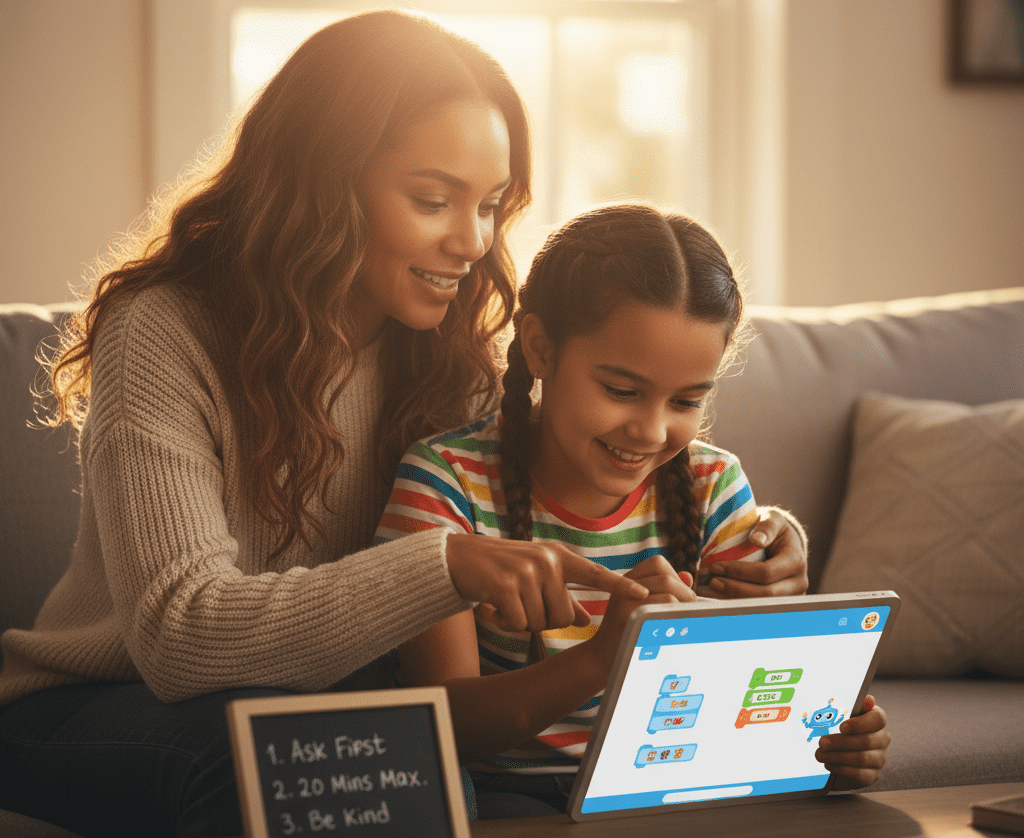
Establish guidelines as you do for screen time. Set times, approved apps, and “ask first” when sharing photos or names. Post the guidelines by the machine.

Teach doubt. Have the kid verify an AI response in a book or reliable site. Do a mini “fact-check” ritual together. Start guided projects: block-based coding games, beginner classification tasks with sample images, or a small chatbot that replies to greetings.

3. Early Adolescence

Open the door wider with structured resources: intro AI courses, visual machine learning sandboxes, and safe datasets. Fine, have them experiment with a text model for summaries, but go over outputs together.

Dovetail ethics early: privacy, bias, consent, and how data migrates online. Middle schoolers are confronted with new dangers including cyberbullying and inappropriate content, so maintain filters and discuss how to report any damage.

Build critical habits: “Who made this?” “What’s missing?” “How could this be wrong?” Provide autonomy with check-ins and dashboards to share and cool-down debriefs after projects.

4. Teenagers

Transition to independence with safeties. Have teens take the lead on projects — AI art portfolios, basic apps, or chatbots — with checkpoints and peer review. Connect to real fields: language learning, music production, study aids, or data tasks in science class.

Keep ethics front and center: credit sources, protect data, respect consent, and avoid harmful prompts. Many recommend at least the age of 13 for ChatGPT-type tools with parent approval — check the platform’s rules and your local legislation.

Have them consider AI’s impact on work, culture, and themselves, and then do something with that awareness.

How to Introduce AI Safely

Start with clear talk about what AI is, how it works in plain terms, and where it shows up: search, maps, voice assistants, language tools, and creative apps. Set a plan: age-appropriate tools, short sessions, and adult oversight.

Maintain equilibrium with offline play and reading. Model good use yourself and stay close to the process.

Foundational Skills

Use games that teach logic and patterns: “If-then” card rules, sorting blocks by color and shape, or memory games that spot repeats. Board games such as chess or checkers develop planning and sequential thought.

Even cooking from a recipe exercises sequencing. Screenless tools are important. SafeAIKids workbooks and logic puzzle books keep attention on foundational skills without the gimmicks.

These habits reduce the fear of making the leap to AI. Mention frequently that AI is a tool. It can propose concepts, but humans provide context, concern, and principles.

Supervised Exploration

Bring on brief experiments with kid-friendly AI applications while you lounge nearby. Experiment with language models for word puzzles, drawing tools for art prompts, or voice assistants for trivia.

Then have the kid describe what the tool actually did. Select apps collaboratively. Review privacy policies, data storage, and parental controls. As new tools pop up every day, teachers should restrict how many they let in their class to prevent overwhelm.

After each session, ask what surprised them, what felt wrong, and what they would attempt next time. Catch confusion early and steer with small nudges. Let them learn the hard way, but keep the safety net under them.

Critical Thinking

Train the habit: do not trust outputs at face value. Verify information with reliable resources such as acclaimed encyclopedias or authoritative websites. Let your team know that AI is fallible.

It can be wrong, biased, or out of date. Show real misses: odd math steps, invented citations, or skewed descriptions. Match an AI summary to a teacher’s rubric or a parent’s explanation to demonstrate how the reasons are different.

Run critique drills: have the AI write a short answer, then mark its errors and missing context. Older students can do the same with essays. This maintains learning, not offshoring.

  • What is the source?
  • What proof supports this claim?
  • What’s missing or one-sided?
  • How could this be wrong?
  • Who gains if I believe this?
  • What should I verify elsewhere?

Ethical Use

Discuss honesty, kindness, and giving credit. If a student applies AI to homework, they should disclose it, describe how, and continue thinking. Teachers can create explicit guidelines that prioritize learning.

Educate on privacy. No full names, addresses, school IDs, or photos without permission. Note larger risks such as deepfakes and disinformation and why we verify prior to sharing.

DilemmaWhy it mattersBetter choice
Using AI to finish homeworkLearning may stallUse for ideas; cite use
Sharing a classmate’s photo to an AI appConsent and safetyAsk permission or skip
Believing a viral AI imageMisinformation spreadsVerify with trusted sources
Biased outputs about groupsHarm and unfairnessQuestion, report, correct

Get kids ready for an AI-filled world the safe way by developing skill, care, and judgment.

Beyond Screens: Unplugged AI Learning

Brief, screenless activities can prepare children for AI by developing reasoning, pattern intuition, and adaptable problem-solving. These skills develop through play, speech, and basic tools, not infinite screen time. Scandinavian-designed workbooks and hands-on kits from SafeAIKids provide serene structure, vivid illustrations, and tactile assignments that suit ages 5 to 14. Parents lead with intrigue, connecting to the real world and later to gentle use of AI apps that personalize speed.

Logic Puzzles

For 5–7, begin with shape-sorting or check out our workbooks for kids age 5-7, ‘odd one out’ and simple two-step riddles that encourage cause-and-effect. Ages 8–10 can take on constraint mazes, symbol Sudoku variants, and who-sat-where logic grids. By 11–13, supplement with multi-rule puzzles, number series or coding-free flowcharts on paper.

Use classics: Sudoku, mazes, tangrams, and lateral riddles teach step-by-step plans and test-revise loops, the same habits kids need before coding. Blend individual and collective rounds so they justify decisions, pivot, and hear.

Track growth with a basic chart: puzzle type, time taken, strategy used, and one skill learned (for example, deduction, pattern split, backtracking). The log makes progress transparent and keeps goals accountable.

Pattern Recognition

Pave colored beads, leaves, or cards, and have kids continue, reverse, or split a pattern. Sketch beat lines, or stamp shapes to identify repetition. Let 5–7-year-olds sort by size, then sneak in one rule change and inquire why it doesn’t work.

Connect to AI: “Machines learn patterns by seeing many examples.” Explain how weather charts forecast rain or how music apps recommend songs by notes and tempo. Ages 8–10 can draw ‘if this, then that’ arrows. Ages 11–13 can label inputs, features, and outputs on a simple diagram.

Set mini-challenges: one child builds a pattern; another must guess the rule. Switch it up and increase the challenge by introducing noise. Then name the concept: like machine learning, we look for signals in messy data.

Creative Play

Storytelling, role-play, blocks, and cardboard builds become a safe lab for ideas. Kids 5 to 7 can ‘teach’ a pretend robot to set the table with explicit instructions. Eight to ten-year-olds write a chatbot for a lost pet booth.

Older kids map rules for “robot art” or mix beats to investigate how tools remix patterns. SafeAIKids workbooks provide light nudges, sketch a helper that detects recycling bins, strategize steps, and experiment with a sibling.

Complement strange outputs to demonstrate why human taste, humor, and attention are important. Tie projects to social good to make it stick.

Problem-Solving

Pose real scenes: split snacks for five, plan a faster school route, or sort books by theme. Have kids design “AI helpers” on paper—what data do they require, what do they do, where do they make mistakes. Small teams try things, record the flops, and iterate.

Teens 14 and older can map actual projects—waste tracking at home or garden sensors—and then later try out simple apps that customize tasks. Close with a talk: humans use context and values. AI uses patterns and data. Both assist, we establish the objective.

Recognizing Readiness Signs

Readiness has less to do with birthday candles and more to do with being grown-up in thinking, feelings, and social sense. Shoot for consistent growth, not flawlessness. Observe your child’s tool use, response to boundaries, and how they absorb errors as of today. Other signs aside, kids about 8 can begin to dip into simple AI concepts, like how computers detect patterns in data.

Cognitive Cues

See if they exhibit causal reasoning. Does your kid realize that switching one input changes the output? If they adjust a prompt and compare the outcomes, that’s reason in action. If they like puzzles, patterns, maps or block coding, they’re comfortable with structure and rules.

Curiosity counts. Regular ‘how’ and ‘why’ questions indicate a mind primed to explore how AI functions, such as fundamental concepts like training data and pattern recognition. Trial-and-error thinking is a core habit, too. Observe if they iterate, experiment and learn from minor flops.

Test attention span on multi-step activities. Are they able to remember 3 or 4 steps on their own? Brief concentrated spells are OK; mention progress over weeks. Notice if they take note of their own readiness signs — how they leverage AI-powered assistants in their games, search, or school platforms and if they review outcomes and request feedback to optimize.

Build a simple checklist: follows sequences, compares outputs, asks “why,” sticks with multi-step tasks, revises after feedback. Measure it monthly to tweak speed and difficulty.

Emotional Maturity

AI work comes with glitches. A ready kid can identify frustration, take a brief pause, and come back with a calmer strategy. That bounce-back demonstrates they can use tools without spinning out when they break.

Empathy and respect are mandatory on and offline. Observe tone in messages, treatment of other peoples’ thoughts, and privacy consciousness. Comfort requesting assistance demonstrates safety instinct. They can say, “This output seems off—can you check?” That habit minimizes risk and develops sound judgment.

Conduct brief, periodic check-ins. Inquire about what seemed difficult, what appeared reasonable, and what they would attempt in the future. Most parents don’t know what kids already do with AI at school. One 2023 survey found only 28% were aware, so ask open, direct questions and leave the door wide open.

Social Awareness

Teach norms: no sharing private data, credit sources, and avoid copying without permission. Emphasize kindness and honesty when talking to AI or peers. Demonstrate how to attribute or rewrite AI outputs.

Use team assignments with common roles to build collaboration and self-direction, even proto-entrepreneurship such as designing a mini-project. Be on the lookout for peer pressure regarding tools or shortcuts and draw clear boundaries about what is permitted in class work.

Appreciate ADHD-like qualities. Nonconforming concepts and clever risk-taking can sparkle in imaginative, practical issue solving with AI for paintings, fiction, or easy data work.

Navigating AI’s Hidden Dangers

AI now lurks inside homework apps, toys, and voice tools, frequently hidden. Early exposure can ignite interest and aptitude, but only with defined safety rails and candid conversation.

  1. Hidden risks to watch:
    • Exposure to harmful content
    • Emotional push and nudges
    • Data leaks and surveillance
    • Grooming or deepfake abuse
    • False or biased answers
    • Erosion of social and cognitive growth
  2. Teach kids to spot red flags: flirty or pushy chat, requests for photos, links to unknown sites, or claims that feel too good to be true. If it smells fishy, break it, screenshot it, and report it to a responsible adult.
  3. Set controls and monitor: use device-level content filters, safe search, and kid profiles. Review logs, time-of-day restrictions, and the history of prompts. Remember, even “kid” modes overlook things.
  4. Empower reporting: make a simple plan. Pause, screenshot, close, tell. Reward voices. Don’t blame AI for errors. Prioritize safety.

Data Privacy

Personal information is money. Names, schools, photos, voice clips and prompts can train models, create profiles or be sold to third parties. Children don’t understand that a toy mic or a ‘fun quiz’ are data-mining devices.

PracticeWhat to doWhy it matters
Minimal dataUse nicknames; avoid photos, school name, addressLowers exposure and profiling
Opt-outsDecline data sharing/model training where possibleLimits reuse and ads
Local firstFavor tools with on-device optionsKeeps data off servers
Delete cyclesClear histories; request data deletionReduces long-term risk
Strong authUnique passcodes; 2FA for parent accountsStops account takeovers

Go through the privacy settings together on each app. Take a tour of what is shared, where it goes, and how to disable logging. Model your own choices: “I won’t upload our family photo here because it may train the system.

Misinformation

AI can sound confident and still be incorrect. Research claims that hallucination rates in certain areas range from 58 to 88 percent, which is a broad and sobering range.

Do shared fact-checking. Cross-check with at least two reputable sources. Check dates and trace claims to original sources where possible.

Share real cases: wrong medical advice, fake citations, or AI-invented news photos. Query, “What proof would alter our opinions?

Teach a simple rule: pause, verify, then use.

Over-Reliance

When every response originates from a bot, children might bypass the gradual effort that constructs thinking. This can erode social and cognitive development.

Balance the mix: AI for scaffolds, kids for “productive struggle.” Compose with AI, edit by hand. Outline with AI, but crack two problems solo first.

Set caps: time limits, no-AI zones for reading or math drills, and “think first” minutes before asking a model.

Parents and teachers can guide habits by cross-checking, reflecting, and explaining choices. National cost to read all AI terms surpasses an estimated $781 billion, which is evidence that the system is hard. Kids require straightforward guidelines, not fine print.

The Parent’s Role in the AI Age

Parents shape how kids meet AI with care, curiosity, and clear rules. The objective is straightforward: secure and enabling usage appropriate to a child’s developmental phase, not an absolute age.

Stay informed and actively involved in your child’s AI education and digital experiences.

Understand what AI does, how it estimates, and where it can break. Read plain-language guides from trusted sources, sample free demos, and scan privacy settings before a kid hits ‘start.’

Many young kids, as early as 3 to 6 years, may believe smart speakers possess emotions. That faith is typical at that age, but it demands direction. Sit with them, explain that the device is just patterns and rules, and show them the “off” button to anchor the tool to the real world.

Match tools to the child’s developmental stage: voice assistants for early curiosity, visual coding blocks for school-age kids, and research helpers for teens. Maintain a communal record of what they attempted, what succeeded, and what seemed strange or insecure. This makes repeat talks easier and demonstrates consistent growth.

Model responsible AI use and ethical decision-making in your own technology habits.

Kids emulate what they observe. If you use AI to draft an email, tell me what you asked, fact-check out loud, and mention what you edited.

Show basic rules: cite sources, avoid sharing private data, and question outputs that sound too sure. If an image tool outputs a biased result, call it out and correct it together. When you refuse data collection or file a complaint, explain. Little things impart huge lessons.

Provide ongoing guidance, encouragement, and feedback as your child explores AI tools.

Steer the speed and the direction. Begin with quick, playful projects that feel like play, not homework — for example, having a chatbot come up with a five-line bedtime poem, then piecing lines together.

Stick by them for those initial AI battles so you can guide prompts, establish boundaries, and compliment the hustle. Use simple checks: What did the tool get right? What feels wrong? How could we verify it? This develops essential judgment without sacrificing delight.

Choose innovative, screen-free resources like SafeAIKids to give your child a safe, values-driven start in the AI era.

Not all learning has to have a screen. Screen-free kits, such as SafeAIKids workbooks, employ cards, stories, and role-play to impart concepts like patterns, bias, and privacy via tactile play.

A deck could prompt kids to identify when a “helper robot” makes a bad assumption and then refine the rules. This keeps values front and center as you ready them for a fast-changing, uncertain AI-shaped future.

Employ these tools to fine-tune pace and interests and to keep learning social, active, and calm.

Conclusion

To ease young kids into AI, take it slow and stick close. Establish guidelines. Keep it brief. Check tools first. Make chat safe. Discuss online truths and falsehoods. Connect AI to reality. Cook up a cake with a recipe bot. Sort toys with a ‘smart’ rule. Ask AI to plan a park day with a map. Even small steps develop trust and skill.

To detect readiness, seek signs of sustained attention, honest competition, and open communication. If a kid owns blunders and inquires intelligently, the door is ajar. Observe. Keep chats open. Tech-free nights.

To build confidence, share victories. A child who polishes a draft with a writing bot feels accomplished. Ready to give them a go? Choose a single tool, select a goal, and sit down with your child.

Frequently Asked Questions

What age is best to introduce kids to AI tools?

Begin supervised exposure at 7 to 9 years, utilizing straightforward, imaginative tools. From 10 to 12, add guided research and code basics. Teens can manage greater independence with established boundaries. We should always match tools to maturity, not just age.

How do I introduce AI safely to my child?

Establish boundaries upfront. Use kid-safe tools with parental controls. Co-use the tool, explain limits and bias. Begin with small sessions. Go over the outputs together. Keep devices in communal spaces. Update safety settings frequently.

What signs show my child is ready for AI tools?

Seek out inquisitiveness, persistence, and rudimentary literacy. They should have rules, ask for assistance when blocked, and understand that not everything online is true. Emotional self-control matters more than age.

What offline activities teach AI concepts?

Think sorting games, pattern puzzles, coding board games, and logic riddles. Exercise ‘if–then’ statements with daily chores. Talk about how a smart speaker guesses. Construct sorting games using cards or items.

What are the hidden risks of AI for kids?

Dangers such as prejudice, disinformation, privacy leaks, addictive design, and complacency exist. AI can sound confident and be incorrect. It could gather information. It can nudge behavior. Introduce them to skepticism and review their privacy settings.

How can I protect my child’s privacy when using AI?

Utilize child accounts, minimize data sharing, and disable chat logs if you can. Don’t input names, photos, or locations. Read privacy policies. Opt for tools that process data on-device and have transparent deletion features.

What is my role as a parent in the AI age?

Be a guide and co-learner. Establish boundaries, demonstrate healthy use, and talk ethics. Teach skepticism. Make a habit of checking tool settings and activity. Promote creativity and critical thinking off screen.