Key Takeaways
- Begin young but monitor. Kids as young as 7 or 8 can navigate basic AI concepts if adults pair age-appropriate tools with active involvement. Concentrate on signs of readiness such as curiosity, ability to focus, and ability to follow steps, not just their age.
- Make it fun and monitored! Start with screen-free games, stories, and analogies in early childhood. Progress to supervised tools in middle childhood. With clear rules, brief sessions, and parent-led discussions, you can cultivate healthy habits.
- Build basics before sophistication. Introduce logic, sequencing, and pattern recognition with puzzles, open-ended imaginative play, and hands-on problem solving. Remind that AI supports human creativity and fact-checking.
- Educate on safety, ethics, and critical thinking. Talk about privacy, kindness, and fairness as core values at each level. Practice fact-checking AI outputs, bias spotting, and asking guiding questions like what do I know, what’s missing, and how could this be wrong.
- Slowly increase autonomy. As they enter early adolescence and their teen years, expose them to more advanced tools and projects. Maintain open dialogue, establish boundaries, and foster reflection on AI’s societal implications.
- Select age-appropriate, privacy-first tools. Choose kid-focused platforms, go over settings together, and watch for misinformation or dependency. Offset screen time with unplugged activities and use checklists to scale pace and complexity.
Need expert suggestions on what age should kids start using ai tools?
Kids can safely begin experimenting with AI tools at ages 7 to 8 with direct supervision. They can then earn greater independence at ages 10 to 12 with defined boundaries and privacy safeguards.
Safety scales with age, digital literacy, and the tool’s risk. Short, task-based use works best early on, like spelling help or simple coding.
By early teens, include fact-checking habits, data limits, and screen-time caps. Real examples and step-by-step guardrails come next to help parents set smart, age-appropriate plans.
What Age to Introduce AI?
Age is a suggestion, not a mandate. Kids as young as 2 already encounter AI in daily life, such as smart speakers, games, and voice assistants. A lot of 3 to 6 year olds believe those devices “feel” or “know,” so they can understand basic concepts. By 3rd grade, most children cease anthropomorphizing devices.
With consistent guidance, beginning around 7 to 8 constructs fundamentals, alleviates anxieties, and establishes practices. I’d match tool complexity to maturity, not the birthday. Check readiness: attention span, reading level, impulse control, and comfort with asking for help.
1. Early Childhood
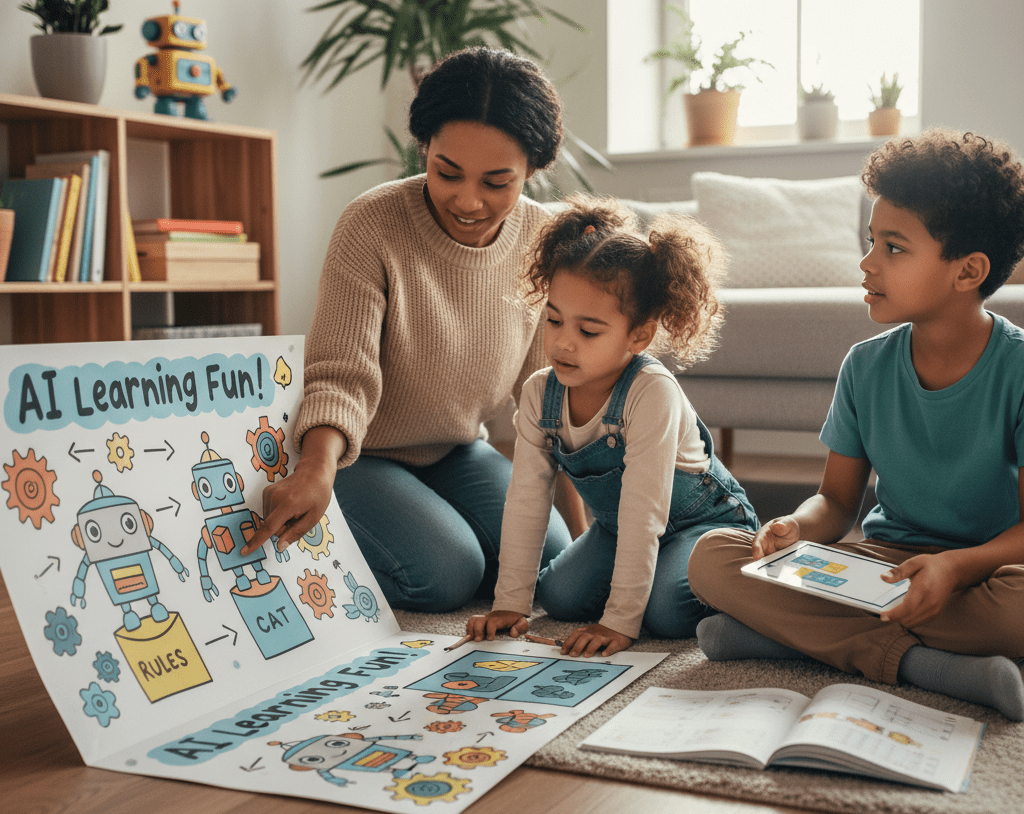
Begin with play, not screens. Things like sort toys by color or size and call it ‘rules’, like how an elementary model clusters stuff. Use picture cards to teach a toy what is a cat or not a cat, demonstrating that machines learn from the examples you select.
Frame stories that liken a chatbot to a librarian assistant who makes educated guesses at what book you want based on your query. Point at smart speakers and say they ‘hear words and match them to answers,’ not that they ‘think.’ Kids this age love robots; tie it to real life: a vacuum follows a map and a camera finds faces.
Encourage questions. How does the speaker recognize my voice? Reward curiosity more than correct answers. Access is supervised. Not just AI app use. Sit with them, talk through what you’re doing, and discontinue when attention wanders.
2. Middle Childhood
Introduce soft tools. Test drive Khanmigo with a parent account or a kid-friendly art maker that blurs nudity. Limit sessions to 15 to 20 minutes with breaks.
Establish guidelines as you do for screen time. Set times, approved apps, and “ask first” when sharing photos or names. Post the guidelines by the machine.
Teach doubt. Have the kid verify an AI response in a book or reliable site. Do a mini “fact-check” ritual together. Start guided projects: block-based coding games, beginner classification tasks with sample images, or a small chatbot that replies to greetings.
3. Early Adolescence
Open the door wider with structured resources: intro AI courses, visual machine learning sandboxes, and safe datasets. Fine, have them experiment with a text model for summaries, but go over outputs together.
Dovetail ethics early: privacy, bias, consent, and how data migrates online. Middle schoolers are confronted with new dangers including cyberbullying and inappropriate content, so maintain filters and discuss how to report any damage.
Build critical habits: “Who made this?” “What’s missing?” “How could this be wrong?” Provide autonomy with check-ins and dashboards to share and cool-down debriefs after projects.
4. Teenagers
Transition to independence with safeties. Have teens take the lead on projects — AI art portfolios, basic apps, or chatbots — with checkpoints and peer review. Connect to real fields: language learning, music production, study aids, or data tasks in science class.
Keep ethics front and center: credit sources, protect data, respect consent, and avoid harmful prompts. Many recommend at least the age of 13 for ChatGPT-type tools with parent approval — check the platform’s rules and your local legislation.
Have them consider AI’s impact on work, culture, and themselves, and then do something with that awareness.
How to Introduce AI Safely
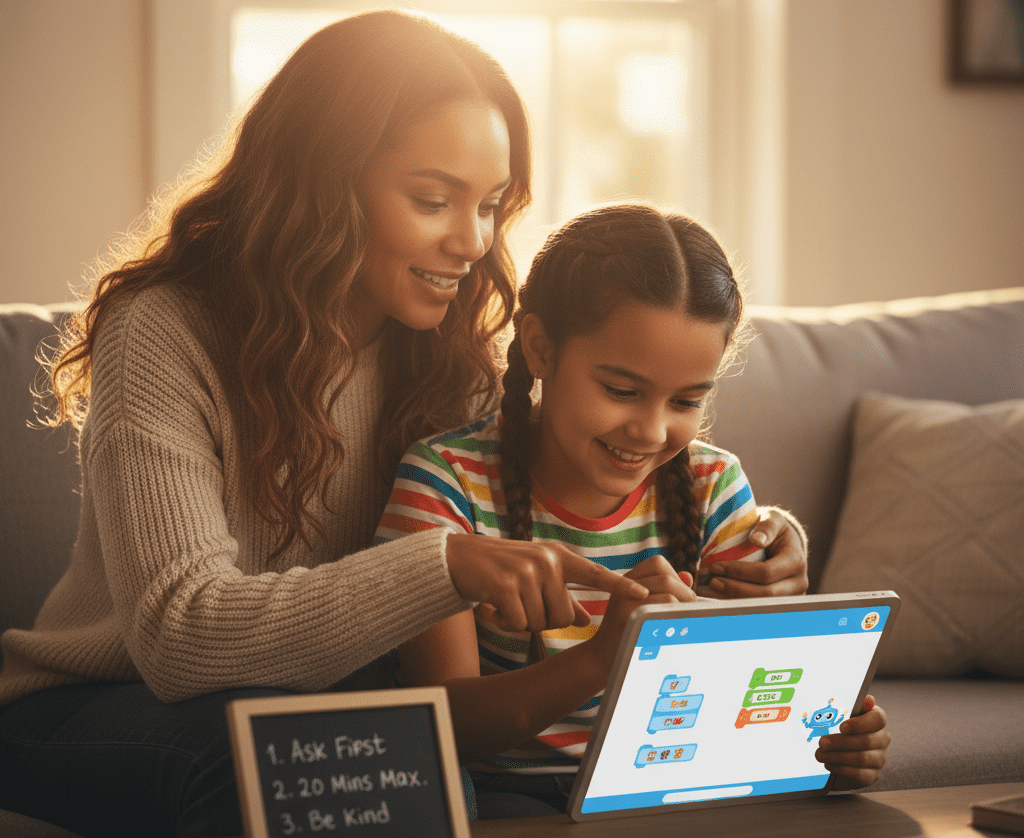
Start with clear talk about what AI is, how it works in plain terms, and where it shows up: search, maps, voice assistants, language tools, and creative apps. Set a plan: age-appropriate tools, short sessions, and adult oversight.
Maintain equilibrium with offline play and reading. Model good use yourself and stay close to the process.
Foundational Skills
Use games that teach logic and patterns: “If-then” card rules, sorting blocks by color and shape, or memory games that spot repeats. Board games such as chess or checkers develop planning and sequential thought.
Even cooking from a recipe exercises sequencing. Screenless tools are important. SafeAIKids workbooks and logic puzzle books keep attention on foundational skills without the gimmicks.
These habits reduce the fear of making the leap to AI. Mention frequently that AI is a tool. It can propose concepts, but humans provide context, concern, and principles.
Supervised Exploration
Bring on brief experiments with kid-friendly AI applications while you lounge nearby. Experiment with language models for word puzzles, drawing tools for art prompts, or voice assistants for trivia.
Then have the kid describe what the tool actually did. Select apps collaboratively. Review privacy policies, data storage, and parental controls. As new tools pop up every day, teachers should restrict how many they let in their class to prevent overwhelm.
After each session, ask what surprised them, what felt wrong, and what they would attempt next time. Catch confusion early and steer with small nudges. Let them learn the hard way, but keep the safety net under them.
Critical Thinking
Train the habit: do not trust outputs at face value. Verify information with reliable resources such as acclaimed encyclopedias or authoritative websites. Let your team know that AI is fallible.
It can be wrong, biased, or out of date. Show real misses: odd math steps, invented citations, or skewed descriptions. Match an AI summary to a teacher’s rubric or a parent’s explanation to demonstrate how the reasons are different.
Run critique drills: have the AI write a short answer, then mark its errors and missing context. Older students can do the same with essays. This maintains learning, not offshoring.
- What is the source?
- What proof supports this claim?
- What’s missing or one-sided?
- How could this be wrong?
- Who gains if I believe this?
- What should I verify elsewhere?
Ethical Use
Discuss honesty, kindness, and giving credit. If a student applies AI to homework, they should disclose it, describe how, and continue thinking. Teachers can create explicit guidelines that prioritize learning.
Educate on privacy. No full names, addresses, school IDs, or photos without permission. Note larger risks such as deepfakes and disinformation and why we verify prior to sharing.
| Dilemma | Why it matters | Better choice |
|---|---|---|
| Using AI to finish homework | Learning may stall | Use for ideas; cite use |
| Sharing a classmate’s photo to an AI app | Consent and safety | Ask permission or skip |
| Believing a viral AI image | Misinformation spreads | Verify with trusted sources |
| Biased outputs about groups | Harm and unfairness | Question, report, correct |
Get kids ready for an AI-filled world the safe way by developing skill, care, and judgment.
Beyond Screens: Unplugged AI Learning
Brief, screenless activities can prepare children for AI by developing reasoning, pattern intuition, and adaptable problem-solving. These skills develop through play, speech, and basic tools, not infinite screen time. Scandinavian-designed workbooks and hands-on kits from SafeAIKids provide serene structure, vivid illustrations, and tactile assignments that suit ages 5 to 14. Parents lead with intrigue, connecting to the real world and later to gentle use of AI apps that personalize speed.
Logic Puzzles
For 5–7, begin with shape-sorting or check out our workbooks for kids age 5-7, ‘odd one out’ and simple two-step riddles that encourage cause-and-effect. Ages 8–10 can take on constraint mazes, symbol Sudoku variants, and who-sat-where logic grids. By 11–13, supplement with multi-rule puzzles, number series or coding-free flowcharts on paper.
Use classics: Sudoku, mazes, tangrams, and lateral riddles teach step-by-step plans and test-revise loops, the same habits kids need before coding. Blend individual and collective rounds so they justify decisions, pivot, and hear.
Track growth with a basic chart: puzzle type, time taken, strategy used, and one skill learned (for example, deduction, pattern split, backtracking). The log makes progress transparent and keeps goals accountable.
Pattern Recognition
Pave colored beads, leaves, or cards, and have kids continue, reverse, or split a pattern. Sketch beat lines, or stamp shapes to identify repetition. Let 5–7-year-olds sort by size, then sneak in one rule change and inquire why it doesn’t work.
Connect to AI: “Machines learn patterns by seeing many examples.” Explain how weather charts forecast rain or how music apps recommend songs by notes and tempo. Ages 8–10 can draw ‘if this, then that’ arrows. Ages 11–13 can label inputs, features, and outputs on a simple diagram.
Set mini-challenges: one child builds a pattern; another must guess the rule. Switch it up and increase the challenge by introducing noise. Then name the concept: like machine learning, we look for signals in messy data.
Creative Play
Storytelling, role-play, blocks, and cardboard builds become a safe lab for ideas. Kids 5 to 7 can ‘teach’ a pretend robot to set the table with explicit instructions. Eight to ten-year-olds write a chatbot for a lost pet booth.
Older kids map rules for “robot art” or mix beats to investigate how tools remix patterns. SafeAIKids workbooks provide light nudges, sketch a helper that detects recycling bins, strategize steps, and experiment with a sibling.
Complement strange outputs to demonstrate why human taste, humor, and attention are important. Tie projects to social good to make it stick.
Problem-Solving
Pose real scenes: split snacks for five, plan a faster school route, or sort books by theme. Have kids design “AI helpers” on paper—what data do they require, what do they do, where do they make mistakes. Small teams try things, record the flops, and iterate.
Teens 14 and older can map actual projects—waste tracking at home or garden sensors—and then later try out simple apps that customize tasks. Close with a talk: humans use context and values. AI uses patterns and data. Both assist, we establish the objective.
Recognizing Readiness Signs

Readiness has less to do with birthday candles and more to do with being grown-up in thinking, feelings, and social sense. Shoot for consistent growth, not flawlessness. Observe your child’s tool use, response to boundaries, and how they absorb errors as of today. Other signs aside, kids about 8 can begin to dip into simple AI concepts, like how computers detect patterns in data.
Cognitive Cues
See if they exhibit causal reasoning. Does your kid realize that switching one input changes the output? If they adjust a prompt and compare the outcomes, that’s reason in action. If they like puzzles, patterns, maps or block coding, they’re comfortable with structure and rules.
Curiosity counts. Regular ‘how’ and ‘why’ questions indicate a mind primed to explore how AI functions, such as fundamental concepts like training data and pattern recognition. Trial-and-error thinking is a core habit, too. Observe if they iterate, experiment and learn from minor flops.
Test attention span on multi-step activities. Are they able to remember 3 or 4 steps on their own? Brief concentrated spells are OK; mention progress over weeks. Notice if they take note of their own readiness signs — how they leverage AI-powered assistants in their games, search, or school platforms and if they review outcomes and request feedback to optimize.
Build a simple checklist: follows sequences, compares outputs, asks “why,” sticks with multi-step tasks, revises after feedback. Measure it monthly to tweak speed and difficulty.
Emotional Maturity
AI work comes with glitches. A ready kid can identify frustration, take a brief pause, and come back with a calmer strategy. That bounce-back demonstrates they can use tools without spinning out when they break.
Empathy and respect are mandatory on and offline. Observe tone in messages, treatment of other peoples’ thoughts, and privacy consciousness. Comfort requesting assistance demonstrates safety instinct. They can say, “This output seems off—can you check?” That habit minimizes risk and develops sound judgment.
Conduct brief, periodic check-ins. Inquire about what seemed difficult, what appeared reasonable, and what they would attempt in the future. Most parents don’t know what kids already do with AI at school. One 2023 survey found only 28% were aware, so ask open, direct questions and leave the door wide open.
Social Awareness
Teach norms: no sharing private data, credit sources, and avoid copying without permission. Emphasize kindness and honesty when talking to AI or peers. Demonstrate how to attribute or rewrite AI outputs.
Use team assignments with common roles to build collaboration and self-direction, even proto-entrepreneurship such as designing a mini-project. Be on the lookout for peer pressure regarding tools or shortcuts and draw clear boundaries about what is permitted in class work.
Appreciate ADHD-like qualities. Nonconforming concepts and clever risk-taking can sparkle in imaginative, practical issue solving with AI for paintings, fiction, or easy data work.
Navigating AI’s Hidden Dangers
AI now lurks inside homework apps, toys, and voice tools, frequently hidden. Early exposure can ignite interest and aptitude, but only with defined safety rails and candid conversation.
- Hidden risks to watch:
- Exposure to harmful content
- Emotional push and nudges
- Data leaks and surveillance
- Grooming or deepfake abuse
- False or biased answers
- Erosion of social and cognitive growth
- Teach kids to spot red flags: flirty or pushy chat, requests for photos, links to unknown sites, or claims that feel too good to be true. If it smells fishy, break it, screenshot it, and report it to a responsible adult.
- Set controls and monitor: use device-level content filters, safe search, and kid profiles. Review logs, time-of-day restrictions, and the history of prompts. Remember, even “kid” modes overlook things.
- Empower reporting: make a simple plan. Pause, screenshot, close, tell. Reward voices. Don’t blame AI for errors. Prioritize safety.
Data Privacy
Personal information is money. Names, schools, photos, voice clips and prompts can train models, create profiles or be sold to third parties. Children don’t understand that a toy mic or a ‘fun quiz’ are data-mining devices.
| Practice | What to do | Why it matters |
|---|---|---|
| Minimal data | Use nicknames; avoid photos, school name, address | Lowers exposure and profiling |
| Opt-outs | Decline data sharing/model training where possible | Limits reuse and ads |
| Local first | Favor tools with on-device options | Keeps data off servers |
| Delete cycles | Clear histories; request data deletion | Reduces long-term risk |
| Strong auth | Unique passcodes; 2FA for parent accounts | Stops account takeovers |
Go through the privacy settings together on each app. Take a tour of what is shared, where it goes, and how to disable logging. Model your own choices: “I won’t upload our family photo here because it may train the system.
Misinformation
AI can sound confident and still be incorrect. Research claims that hallucination rates in certain areas range from 58 to 88 percent, which is a broad and sobering range.
Do shared fact-checking. Cross-check with at least two reputable sources. Check dates and trace claims to original sources where possible.
Share real cases: wrong medical advice, fake citations, or AI-invented news photos. Query, “What proof would alter our opinions?
Teach a simple rule: pause, verify, then use.
Over-Reliance
When every response originates from a bot, children might bypass the gradual effort that constructs thinking. This can erode social and cognitive development.
Balance the mix: AI for scaffolds, kids for “productive struggle.” Compose with AI, edit by hand. Outline with AI, but crack two problems solo first.
Set caps: time limits, no-AI zones for reading or math drills, and “think first” minutes before asking a model.
Parents and teachers can guide habits by cross-checking, reflecting, and explaining choices. National cost to read all AI terms surpasses an estimated $781 billion, which is evidence that the system is hard. Kids require straightforward guidelines, not fine print.
The Parent’s Role in the AI Age
Parents shape how kids meet AI with care, curiosity, and clear rules. The objective is straightforward: secure and enabling usage appropriate to a child’s developmental phase, not an absolute age.
Stay informed and actively involved in your child’s AI education and digital experiences.
Understand what AI does, how it estimates, and where it can break. Read plain-language guides from trusted sources, sample free demos, and scan privacy settings before a kid hits ‘start.’
Many young kids, as early as 3 to 6 years, may believe smart speakers possess emotions. That faith is typical at that age, but it demands direction. Sit with them, explain that the device is just patterns and rules, and show them the “off” button to anchor the tool to the real world.
Match tools to the child’s developmental stage: voice assistants for early curiosity, visual coding blocks for school-age kids, and research helpers for teens. Maintain a communal record of what they attempted, what succeeded, and what seemed strange or insecure. This makes repeat talks easier and demonstrates consistent growth.
Model responsible AI use and ethical decision-making in your own technology habits.
Kids emulate what they observe. If you use AI to draft an email, tell me what you asked, fact-check out loud, and mention what you edited.
Show basic rules: cite sources, avoid sharing private data, and question outputs that sound too sure. If an image tool outputs a biased result, call it out and correct it together. When you refuse data collection or file a complaint, explain. Little things impart huge lessons.
Provide ongoing guidance, encouragement, and feedback as your child explores AI tools.
Steer the speed and the direction. Begin with quick, playful projects that feel like play, not homework — for example, having a chatbot come up with a five-line bedtime poem, then piecing lines together.
Stick by them for those initial AI battles so you can guide prompts, establish boundaries, and compliment the hustle. Use simple checks: What did the tool get right? What feels wrong? How could we verify it? This develops essential judgment without sacrificing delight.
Choose innovative, screen-free resources like SafeAIKids to give your child a safe, values-driven start in the AI era.
Not all learning has to have a screen. Screen-free kits, such as SafeAIKids workbooks, employ cards, stories, and role-play to impart concepts like patterns, bias, and privacy via tactile play.
A deck could prompt kids to identify when a “helper robot” makes a bad assumption and then refine the rules. This keeps values front and center as you ready them for a fast-changing, uncertain AI-shaped future.
Employ these tools to fine-tune pace and interests and to keep learning social, active, and calm.
Conclusion
To ease young kids into AI, take it slow and stick close. Establish guidelines. Keep it brief. Check tools first. Make chat safe. Discuss online truths and falsehoods. Connect AI to reality. Cook up a cake with a recipe bot. Sort toys with a ‘smart’ rule. Ask AI to plan a park day with a map. Even small steps develop trust and skill.
To detect readiness, seek signs of sustained attention, honest competition, and open communication. If a kid owns blunders and inquires intelligently, the door is ajar. Observe. Keep chats open. Tech-free nights.
To build confidence, share victories. A child who polishes a draft with a writing bot feels accomplished. Ready to give them a go? Choose a single tool, select a goal, and sit down with your child.
Frequently Asked Questions
What age is best to introduce kids to AI tools?
Begin supervised exposure at 7 to 9 years, utilizing straightforward, imaginative tools. From 10 to 12, add guided research and code basics. Teens can manage greater independence with established boundaries. We should always match tools to maturity, not just age.
How do I introduce AI safely to my child?
Establish boundaries upfront. Use kid-safe tools with parental controls. Co-use the tool, explain limits and bias. Begin with small sessions. Go over the outputs together. Keep devices in communal spaces. Update safety settings frequently.
What signs show my child is ready for AI tools?
Seek out inquisitiveness, persistence, and rudimentary literacy. They should have rules, ask for assistance when blocked, and understand that not everything online is true. Emotional self-control matters more than age.
What offline activities teach AI concepts?
Think sorting games, pattern puzzles, coding board games, and logic riddles. Exercise ‘if–then’ statements with daily chores. Talk about how a smart speaker guesses. Construct sorting games using cards or items.
What are the hidden risks of AI for kids?
Dangers such as prejudice, disinformation, privacy leaks, addictive design, and complacency exist. AI can sound confident and be incorrect. It could gather information. It can nudge behavior. Introduce them to skepticism and review their privacy settings.
How can I protect my child’s privacy when using AI?
Utilize child accounts, minimize data sharing, and disable chat logs if you can. Don’t input names, photos, or locations. Read privacy policies. Opt for tools that process data on-device and have transparent deletion features.
What is my role as a parent in the AI age?
Be a guide and co-learner. Establish boundaries, demonstrate healthy use, and talk ethics. Teach skepticism. Make a habit of checking tool settings and activity. Promote creativity and critical thinking off screen.