Key Takeaways
- Coding gives kids powerful problem-solving, logical thinking, and creative skills that extend well beyond technology.
- By selecting age-appropriate, interest-driven, and platform-matched coding resources, you can make learning more engaging and effective for any kid.
- Transitioning slowly from block based coding to text based languages such as Python builds confidence and deeper technical knowledge.
- Parents get involved by engaging, hosting, and supporting your young coders’ adventures, forming a supportive atmosphere.
- By standing with kids through the same old and linking them with coding communities, parents provide them with resilience, motivation, and a sense of belonging.
- By promoting real-world coding and keeping a healthy balance with other activities, coding remains fun and meaningful.
Coding for kids is educating children on the fundamentals of how computers address issues with step by step solutions.
Lots of parents imagine complicated screens or advanced apps, the true foundation begins much simpler—with logic, patterns and problem-solving.
Youngsters employ these competencies whenever they execute a recipe, complete a maze or play timeless board games.
Centering these screen-free experiences lays the foundation for coding in a manner that seems organic and playful.
Why Kids Should Code
It’s a hands-on method to help kids develop logic, creativity, and digital literacy, which are cornerstones of the modern tech age. From as early as the age of five, kids who learn to code build a toolkit that equips them for both academic and real-world challenges.
1. Cognitive Growth
Coding teaches kids to think in a structured way, similar to putting together a puzzle or mastering a new language. By reducing a problem to a sequence of steps, kids exercise the logic that can power their solutions to real life conundrums. Coding syntax and rules, much like the grammar of language learning, are memorized and applied which boosts memory.
Debugging, a fundamental aspect of coding, fosters critical thinking. Kids have to find bugs, experiment with solutions, and streamline their code, all of which foster patience and hone analytical skills. This process teaches adaptability.
It shows kids that there can be many solutions to a given problem and that sometimes the optimal solution is not the one they try first.
2. Creative Confidence
While coding is frequently perceived as inflexible, it’s very much a medium for creative expression. Kids can create stories, games, or animations, allowing them to have a voice for unique expression. When a child completes a project, whether it is a basic game or an interactive story, that feeling of achievement provides a surge of confidence that fuels continued investigation.
Group coding projects foster collaboration. Kids learn how to divide work, value alternative perspectives, and cooperate to find solutions. The iterative nature of coding, where failure is expected and even encouraged, teaches resilience.
Kids learn that failure is intrinsic to innovation, not a message to quit.
3. Future Readiness
Teaching kids to code provides them with a leg up in the future and digital skills are required for virtually every profession now. Understanding how technology works makes kids world-wise and equips them for everyday activities, from device management to data analysis.
Coding literacy isn’t just for programmers anymore; everything from healthcare to engineering now depends on tech-literate professionals. With 3.5 million STEM jobs estimated by 2025, early coding trains lifelong learning skills.
Kids who code learn to adapt as technologies change, making them resilient to the unknown.
4. Digital Empathy
Through it, kids learn to craft digital creations for real humans, fostering empathy and a user-focused mentality. When kids think about user experience, they’re thinking about how what they create impacts others — a crucial digital citizenship skill.
Coding promotes polite communication, as kids enter online communities to give and receive critique. Sensitivity to digital footprints and privacy is embedded into many coding experiences.
Access to international coding communities brings different standpoints to light, turning tech into a connector instead of an isolator.
5. Systematic Thinking
It teaches teens to break big projects into manageable steps, encouraging systematic problem-solving. Structuring code is akin to structuring your thinking, which is useful for paper writing and daily life.
Kids plan and outline before coding, learning the value of preparation. Persistence is fostered when kids debug, iterate, and optimize their work. Strengthening that effort makes things better.
Choosing the Right Path

Identifying the optimal approach for presenting coding to kids can become intimidating, particularly when you’re trying to respect their developmental needs and maintain a screen-free balance. The right approach takes into account your child’s age, interests, and the platforms they gravitate towards.
By Age
Coding skills need to be aligned with a child’s development. For lower ages (4-6), visual block tools like ScratchJr or unplugged physical cards create foundational skills. These projects keep hands busy and minds active, which is great for small attention spans.
For 7-10 year olds, more involved puzzles using drag-and-drop programming introduce them to logical sequences and small loops while still providing instant feedback and results. As kids get older, like 11 and up, text-based programming languages, such as Python or JavaScript, can be brought in slowly. These languages are for deeper problem-solving, and kids at this age frequently crave real-world application.
| Age Group | Suitable Coding Activities | Example Tools |
|---|---|---|
| 4-6 years | Unplugged games, story-based puzzles, block apps | ScratchJr, Coding Cards |
| 7-10 years | Drag-and-drop coding, basic robotics, simple games | Scratch, LEGO Robotics |
| 11+ years | Text-based languages, app design, advanced robotics | Python, Arduino, Tynker |
Make it more challenging as they get older. Switch to typing code when they are ready. This maintains their engagement and their feeling of productivity.
By Interest
Making coding relevant to what your child already loves makes a difference. A kid who’s into art may appreciate coding projects that generate digital images or animations, while a robotics enthusiast would thrive on coding to make machines move.
If your kid is a gamer, try sites where they can create basic games and gift them to pals. A few kids spark when they witness how websites or music can be created through code. The objective is to transform coding into an additional channel for articulating their thoughts and imagination, not a burden.
Inspire kids to explore various areas, be it web development, game design, or data science, by associating novel ideas with their preferred academic subjects. Let them select projects that represent what they love most. This fuels intrinsic motivation and deeper curiosity.
By Platform
- Web-based environments such as Scratch or Code.org provide interactive tutorials and a worldwide community that is perfect for learners who thrive through collaboration.
- Offline tools (think Ozobot or programmable board games) allow kids to code without screens and entice tactile learners.
- Mobile apps such as Tynker enable flexible, bite-sized coding sessions that are ideal for families on the go.
- Hybrid strategies mix these stages for a more nuanced and dynamic experience.
Some kids prosper with practical coding kits. Others might enjoy a narrative-based, visual app. Platform mixing guarantees an engaging learning adventure that accommodates various learning preferences.
From Blocks to Python
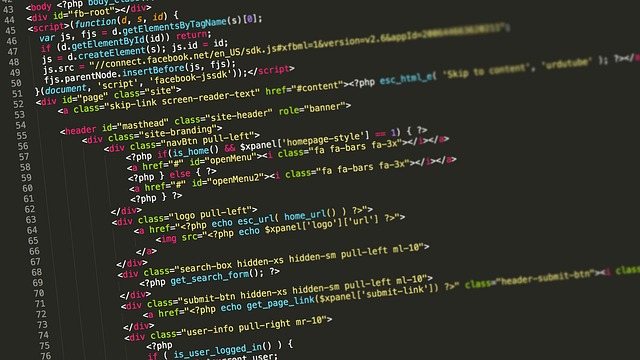
Block-based coding platforms, such as Scratch, decrease the intimidation factor by substituting lines of code with colorful drag-and-drop blocks. This visual approach helps kids grasp the basics, including sequencing steps, using loops, and making decisions with “if-then” logic. These are the very same fundamentals they’ll need in text-based languages, so the leap from blocks to something like Python isn’t as huge as it appears.
The reasoning is identical; only the expression varies, sort of like going from toy bricks to illustrating your design on paper. Switching to Python means making the leap from snap-together blocks to keyboard-typed code. Quite a few kids, particularly those pre-10 year olds with some Scratch experience, will find Python to be the obvious next step.
Python’s syntax seems less cryptic to beginners because it reads a lot like plain English. The command print(‘Hello, world!’) is direct and simple to grasp. The key is to take your time. Most students spend a year or more on both Scratch and Python in parallel, doing much the same projects in each.
This two-pronged strategy can assist in dissipating unease and allow the novel skills to sink in. We want to introduce Python’s syntax in a way that builds on concepts kids already understand. Start with the Python equivalent of Scratch blocks: simple loops (“for i in range(5):”), conditionals (“if score > 10:”), and basic variables.
Children love to see how some known logic puzzle or Scratch game maps to Python. For instance, a blocks-based guessing game can be replicated with mere lines of text in Python. This demonstrates that true expertise isn’t memorizing commands; it’s decomposing a problem into steps, despite the tool.
Testing is the key. The best way to learn Python is by making things: simple games, animations, or even a chatbot that answers questions. Cool projects keep kids hooked and show them how to debug when things don’t work.
Gamified coding platforms and projects with creative flair, such as constructing a maze or creating a basic calculator, can boost enthusiasm and belief in oneself. Push for daily practice, even if it’s only 20 minutes. It’s consistent progress, not a mad dash to get it all in at once.
Back up the switch with dependable materials. The official Python tutorial is a good place to start. There are lots of kid-friendly books and interactive websites. You are encouraged to set aside a dedicated time each week to hack alone or with a parent to solidify new skills.
Some households swear by printable logic puzzles and unplugged activities as a great way to foster the ‘pattern-spotting’ mindset that both Scratch and Python demand.
Overcoming Common Hurdles
Learning to code can be an empowering adventure for kids. It’s almost never seamless. Plenty of kids run into the same old roadblocks. Motivation wanes, they feel overwhelmed, or they don’t have anyone to push them.
A quiet, distraction-free space is essential. Clear communication is also important: encourage kids to voice frustrations and let them know setbacks are part of learning. Coding teaches early kids not only how to program, but patience, logic, and grit—qualities that enable children to handle long-term challenges inside and outside of tech.
Sustaining Interest
- Checklist for Keeping Motivation High: Chunk projects. Make a checklist that celebrates small victories, such as writing a line of code, figuring out a riddle, or beating a level of a game. This activity chart gives children a tangible sense of having momentum and accomplishment, thus making grand projects feel less imposing and more rewarding.
- Project Updates: Drop in on your kid’s projects. Push them to share what they’ve created, even if it’s incomplete. Express excitement over their efforts to emphasize the importance of moving forward, not merely achieving an ideal.
- Competitions and Challenges: Deepen your algorithms knowledge by presenting coding challenges either via online platforms or local events. Good-natured competition and the adrenaline of a deadline can motivate kids and expand their creative limits.
- Peer Sharing: Allow kids to present their projects to peers or family. This peer feedback loop not only encourages confidence but develops important communication skills.
Managing Frustration
It’s about training your child to be a problem solver. Expose them to logic puzzles and math games that promote “if-then” thinking, which is the foundation of coding and real-world decision-making.
When frustration mounts, reset with intermittent breaks. Stand, stretch, and do something else! This break aids in clearing their mind and avoiding burnout.
Tell us about your own experiences overcoming common hurdles – in coding or otherwise. Tell kids that struggle is normal and that every coder, even the most experienced, gets stuck occasionally. Stress that coding is an odyssey, not a sprint. It is a matter of endurance and willingness to wait. Remind them frequently that no one is an expert immediately.
Finding Community
Link your kid up with local clubs, online forums, or worldwide coding platforms. By attending hackathons or workshops, you have the chance to meet others with similar interests.
Working on projects together inspires creativity and helps kids understand that coding is a collaborative endeavor and not a solo one. Promote mentorship opportunities where available. Gaining insights from seasoned programmers can speed development and boost self-assurance.
The Parent’s Role

Each parent is a pivotal factor in determining a kid’s coding experience. You don’t have to be a programmer to leave a permanent mark. It’s less about technical skills and more about nurturing inquisitiveness, providing an optimistic learning environment, and rewarding the process as much as the outcome.
Coding for kids isn’t just about screens or syntax; it’s an entry point to constructing logic, perseverance, and innovation, all of which will carry them well past the realm of technology.
Co-Learner
To model curiosity is to jump in together, not just to hang back and supervise. Sitting alongside your kid, be it tackling an entry-level problem in a code workbook or a paper maze, demonstrates to them that the learning process is continual for all of us.
For instance, if your child is experimenting with sequencing in a basic coding game, ask, “What do you think will happen if we tweak this step?” This suggests cooperative exploration, not simply right or wrong responses.
Co-DL deepens learning for both parent and kid. If you come across a coding concept such as loops or conditionals, verbalize it. If we iterate on this step, what changes?” These discussions construct reasoning and problem-solving in companionship, not under duress.
Finding new books or resources and sharing them, “I found this logic puzzle, do you want to try it with me?” keeps the experience fresh and accessible. Celebrate blunders as learning experiences. If a project doesn’t work, ask, ‘Why do you think that happened?’ This reflection builds critical thinking.
Coding is trial and error, and when parents frame it as an adventure, kids do the same.
Facilitator
Equipping your child with the right tools and resources is important. Customizing them to your child’s needs is important as well. Other parents swear by one-on-one coding programs, either online or in person, that provide customized instruction tailored to their child’s unique learning needs.
Still others may find that unplugged activities, such as logic puzzles, board games, or printable workbooks, assist kids in understanding foundational concepts prior to transitioning to screens. Goal-setting is a second key facilitator task. Help your child break down a project, like making a simple interactive story, into steps: plan, build, test, reflect.
This is analogous to real world engineering. Support autonomy, let your child roam free, but provide concrete feedback. Parent’s Role — I love how you attempted a different solution when it didn’t work the first time.
Some kids do well with regimented schedules, others with spells of passion and artistic license. Shifting your style to your child’s disposition rather than assuming one recipe fits all establishes a more nurturing learning experience.
Cheerleader
Advancement in coding is seldom straightforward, thus minor victories merit celebration. Whether it’s your kid solving a gnarly logic maze or completing their first digital cartoon, recognize the effort. You persevered through the hard part – that’s what real coders do.
This establishes confidence and grit, qualities that count for everything. Promote grit by destigmatizing failure. Say things like, “It’s okay to blow it – that’s how you learn.” Emphasize the inventive aspect of programming: constructing a game, designing a bot, dreaming up a novel.
When coding is play, not just work, kids are more likely to stick with it. This ‘positive, playful’ mindset makes coding fun and everything but sustainable. By concentrating on what your child finds fun, perhaps designing levels for a favorite game or inventing a board game, it keeps motivation high.
Beyond the Screen
Coding is about more than banging away at keyboards or making attention-grabbing apps. These days, learning to code is like learning a new language — one that connects kids to the world and prepares them for jobs that don’t even exist yet. The kicker is that coding can occur miles from screens, stitched into the fabric of daily life that unites reasoning and imagination.
Real-world applications make coding feel concrete to kids. Consider robotics and physical computing projects. Easy kits allow kids to click together motors, sensors, and lights to experience code coming alive in the real world. For instance, constructing a mini-robot that traces a line on the floor or a sensor that chimes a bell when a person enters a room.
These hands-on projects demonstrate cause and effect, helping kids see that “if-then” logic isn’t just for computers. It’s the same logic we apply when we say, “If it’s raining, then bring an umbrella.” This type of problem solving is all around us, from how to stuff a backpack to how to organize a family outing. Robotics provides kids the opportunity to test, fail, and try again. These are vital skills for life and work.
Outdoor coding activities combine coding with adventure. Planning scavenger hunts on a programmable GPS device or even plotting out a map with coordinates introduces sequencing and logic with no screen necessary. Even games as simple as drawing chalk mazes on the sidewalk and having kids provide verbal “instructions” to help a friend steer through simulate the fundamentals of algorithms and looping.
These unplugged activities develop the same foundational skills as computer coding, using the natural world as a classroom. Balance is the key in this screen-saturated world. Coding imparts essential digital skills. It’s equally important to foster time for imaginative play, athletics, painting, and in-person dialogue.
Unplugged coding activities, such as acting out ‘if-then’ stories or arranging cards to illustrate a process, support children’s logic-building while managing screen time. These possibilities are open to families across the board, even without high-end gadgets or high-speed connections.
Coding can inspire kids to impact. Community-oriented endeavors, whether that’s a minimalist website for the local food bank or a local community art exhibition, help kids realize that tech isn’t all about toys and games. It’s a tool for social good and art.
Kids find that code is a tool to crack problems, express themselves, and support their community. This is the purpose and connection that actually ‘future-proofs’ them in a shifting world.
Conclusion
Introducing kids to coding can sound scary. It really boils down to increasing skills they already practice on a daily basis, such as logic, problem-solving, and persistence. Coding is simply another vehicle to assist kids in recognizing patterns, decomposing large problems, and discovering innovative answers. Whether your kiddo loves puzzles, building things, or just likes to ask “why,” those are the same muscles coding helps to flex. Coding isn’t about making every kid a programmer. It’s about providing them with the tools to think flexibly and address new challenges, on and off screen.
Looking for a screen-free way to improve these skills? Our Printable Logic Workbooks provide hands-on puzzles that turn pattern-spotting and problem-solving into a fun and easy-to-begin-at-home challenge!
FAQs
1. My child is only 5. Isn’t it too early to start “coding”? This is such a common worry, but the truth is your child is already coding! When they build with blocks (sequencing), sort their toys (pattern recognition), or play “Simon Says” (an ‘if-then’ command), they are using the exact same logic. “Coding” at this age isn’t about screens; it’s about playful, hands-on games that build their amazing problem-solving mind.
2. I don’t know the first thing about Python or Scratch. How can I possibly help my child? You don’t have to! Your role isn’t to be the “tech expert”—it’s to be the “Chief Cheerleader” and “Co-Learner,” just as the post says. Your job is to celebrate their effort, not to have the answers. By asking curious questions like, “That’s so cool! How did you make it do that?” or “What do you think will happen if we try this…?” you are teaching them how to learn, which is infinitely more valuable.
3. What if my child gets frustrated and wants to quit? Coding seems hard. Frustration is not a sign of failure—it’s a sign of learning. This is the single most important lesson coding teaches: resilience. When they get stuck, don’t rush in with a solution. Instead, validate their feeling (“I see you’re working so hard on this and it’s tricky!”) and suggest a reset. “Let’s take a 5-minute break and do a fun logic puzzle on paper, then come back with fresh eyes.”
4. All the tools you mentioned are still on screens. How do I balance this with wanting less screen time? That’s the perfect question, and it’s exactly why we believe in an “unplugged first” approach. Before you even introduce a coding app, you can spend months building the exact same skills with hands-on activities. Mazes, “if-then” scavenger hunts, and printable logic workbooks all build the core “coding brain” without any screen exposure at all. Think of the screen-free play as the foundation, and the apps as just one small tool they can use later.
5. Is the goal of this to make my child a professional programmer? Absolutely not. The goal is to make your child a creative, confident, and resilient problem-solver. Whether they become a doctor, an artist, or an entrepreneur, they will be a better thinker because they learned how to break down a giant challenge into small, manageable steps. This isn’t about a future job; it’s about empowering them with a new way to see and shape their world.